Nylon 3D printer filament is a powerful material known for its exceptional strength, flexibility, and durability, making it ideal for robust and versatile parts. While it is notoriously hygroscopic and prone to warping, these challenges are manageable with proper filament drying, precise temperature control, and effective bed adhesion techniques. Mastering nylon unlocks possibilities for high-performance functional prototypes and end-use components in various applications.
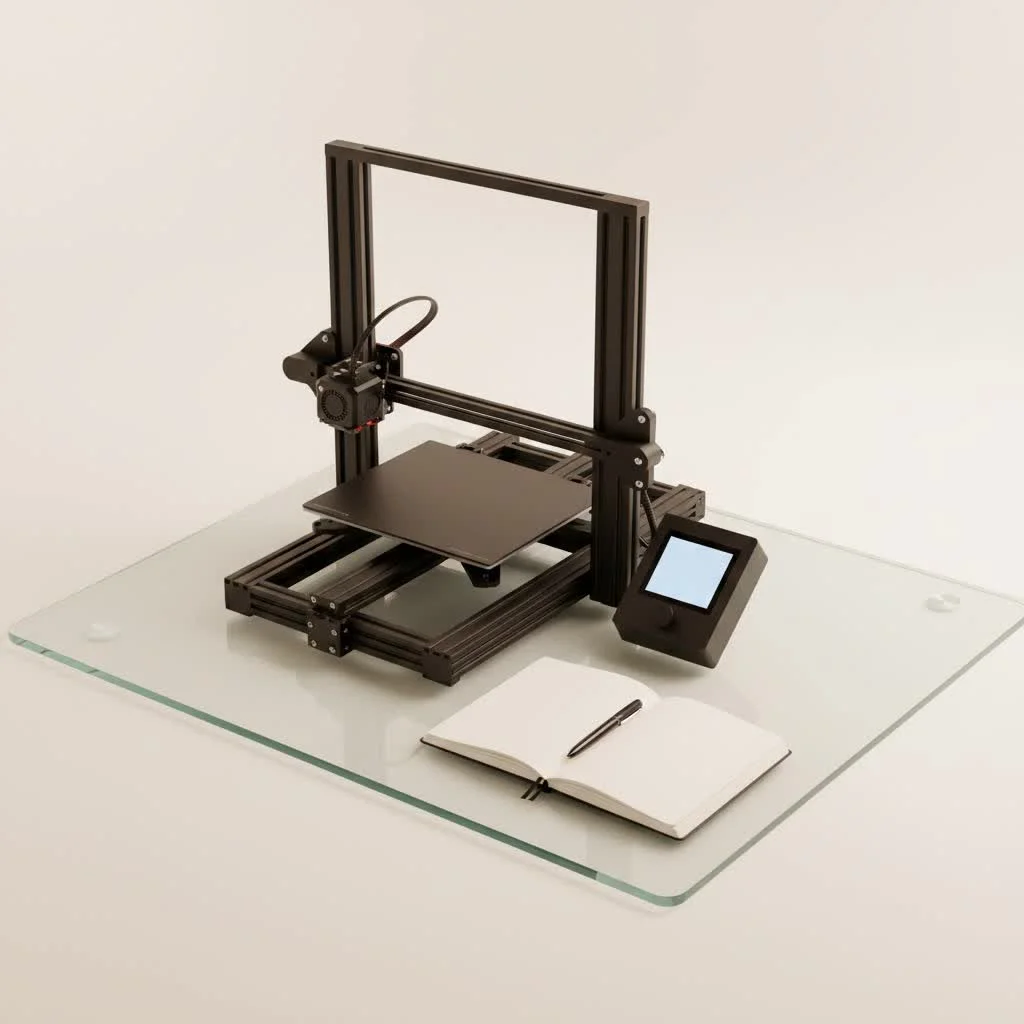
What Makes Nylon a 3D Printing Powerhouse?
Nylon, a family of synthetic polymers often referred to as polyamides (PA), is renowned across various industries for its exceptional characteristics. When extruded into a filament for 3D printing, these properties translate directly into incredibly robust and versatile parts.
First and foremost, nylon boasts exceptional strength and durability. Its traditional uses in ropes, seatbelts, and industrial components demonstrate its toughness. It offers high tensile strength and impressive impact resistance, meaning your printed parts can withstand significant mechanical stress and accidental bumps without cracking or breaking.
Nylon also offers a remarkable degree of flexibility, especially in thinner sections. This unique balance between rigidity and pliability makes it perfect for parts that need to bend or flex without failing, providing a distinct advantage over more brittle materials like PLA or ABS. Its excellent abrasion resistance makes it ideal for moving parts that experience wear and tear, such as gears, bearings, and living hinges.
Nylon parts exhibit strong chemical resistance to many oils, solvents, and even certain acids. This makes it an invaluable material for applications in challenging environments, from automotive components exposed to lubricants to jigs and fixtures used in manufacturing processes. It also offers decent heat resistance, with some nylon variants maintaining stability at temperatures up to 120°C, and even higher for specialized types. This combination of attributes truly elevates nylon filament in the 3D printing landscape.
Understanding the Different Types of Nylon Filament
Just as there isn’t a single type of wood, there isn’t just one “nylon” when it comes to 3D printing. The most common varieties you’ll encounter are PA6, PA66, and PA12, each with slightly different nuances.
PA6 (Nylon 6) is a popular choice for its good balance of impact resistance and printability. It’s often favored for functional prototypes and parts that need to absorb vibrations, but it tends to be more prone to moisture absorption. PA66 (Nylon 6/6) offers enhanced heat resistance and mechanical strength, providing a more rigid print. Its higher melting point can make it a bit more challenging to print, but the results are worth it for high-load applications. PA12 (Nylon 12) is often considered the premium choice for FDM 3D printing due to its superior moisture resistance and excellent dimensional stability. It warps less and is ideal for intricate technical parts, though it usually comes with a higher price tag.
Beyond these base polyamides, the innovation in nylon filaments has led to the rise of composite Nylons. These materials blend nylon with additives like carbon fibers (PA-CF) or glass fibers (PA-GF). These additions dramatically enhance stiffness, tensile strength, and often significantly reduce warping. They’re perfect for engineering-grade components that require maximum rigidity and performance, though they do demand wear-resistant nozzles (like hardened steel or ruby-tipped) due to their abrasive nature.
The Not-So-Glamorous Side: Common Challenges with Nylon
Printing with nylon filament isn’t always straightforward, but with the right knowledge and techniques, these challenges become entirely manageable.
The absolute arch-nemesis of nylon printing is moisture absorption. Nylon is notoriously hygroscopic, meaning it readily pulls moisture from the air. When wet filament is printed, the absorbed water turns to steam in your hotend, leading to tell-tale signs like popping sounds, bubbles, a rough or foggy surface finish, poor layer adhesion, and significantly weaker parts. It can even lead to increased warping and delamination. This isn’t just an aesthetic issue; it severely compromises the mechanical properties nylon is known for.
Another common hurdle is warping. Due to its semi-crystalline structure, nylon tends to shrink as it cools, causing corners to lift from the print bed. This can be frustrating, especially on larger prints, and impacts dimensional accuracy. Managing warping requires careful attention to your print environment and bed adhesion.
Finally, nylon has higher temperature demands compared to everyday filaments like PLA. It typically requires extruder temperatures in the range of 230-260°C, and sometimes even higher for specialized variants. Many standard 3D printers, particularly those with PTFE-lined hotends, may struggle to reach or safely maintain these temperatures. An all-metal hotend becomes a crucial upgrade for serious nylon printing.
Unlocking Success: Essential Tips for Printing Nylon Filament
With the challenges understood, let’s dive into the practical solutions that will improve your nylon printing experience from frustrating to fantastic.
Drying Your Filament Like a Pro
|
Our Picks for the Best 3D Printer in 2026
As an Amazon Associate I earn from qualifying purchases.
|
||
| Num | Product | Action |
|---|---|---|
| 1 | Creality Ender 3 V3 SE 3D Printer, 250mm/s Faster Print Speed CR Touch Auto Leveling Sprite Direct Extruder Dual Z-Axis Auto Filament Loading Ender 3 Upgrade 3D Printer Print Size 8.66x8.66x9.84 inch |

|
| 2 | FLASHFORGE Adventurer 5M Pro 3D Printer with 1 Click Auto Printing System, 600mm/s High-Speed, Quick Detachable 280°C Nozzle, Core XY All-Metal Structure, Multi-Functional 220x220x220mm 3D Printer |
|
| 3 | FLASHFORGE Adventurer 5M 3D Printer with Fully Auto Leveling, Max 600mm/s High Speed Printing, 280°C Direct Extruder with 3S Detachable Nozzle, CoreXY All Metal Structure, Print Size 220x220x220mm |
|
| 4 | FLASHFORGE AD5M Pro 3D Printer 600mm/s High Speed & Precision, Full-Auto Calibration with 0.4&0.6mm Nozzle Bundle, CoreXY Structure & Auxiliary Chamber Cooling, ≤50 dB Quite Printing Camera Printers |
|
| 5 | FLASHFORGE AD5X Multi-Color 3D Printer with IFS, 600mm/s High Speed, 300°C High Temp Direct Extruder, Fully Auto Leveling, All Metal CoreXY,4-Color Printing for PLA-CF,PETG-CF, 220x220x220mm |
|
| 6 | FLASHFORGE AD5M 3D Printer Fully Auto Calibration Print with 1-Click Max 600mm/s Speed, All-Metal CoreXY Structure Precise Printing, Easy-Maintenance Quick-Swap Nozzle, Print Size 220x220x220mm |
|
| 7 | Creality K2 SE Combo 3D Printer, Support Multicolor Printing with CFS, 500mm/s High-Speed, Smart Auto Leveling, Solid Metal Build Frame, Fully Assembled, Next-Gen Extruder, 220×215×245 mm Build Volume |
|
| 8 | Anycubic Multicolor 3D Printer, Kobra S1 Combo Core XY Stable Structure with Sealed Printing High Precision 600mm/s Fast Speed Auto Calibration Ideal for Precision and Efficiency 9.8\"x9.8\"x9.8\" |
|
| 9 | FLASHFORGE AD5X Multi-Color 3D Printer 4 Colors with IFS, Fully Auto Leveling FDM 3D Printer with Max 600mm/s High Speed Printing and Max 300°C Nozzle, Large Printing Size 220 * 220 * 220mm |
|
| 10 | FLASHFORGE AD5X Multi-Color 3D Printer, CoreXY 600mm/s High-Speed, 1-Click Auto Leveling, 300°C Direct Drive Extruder, 220x220x220mm Build Volume, Ideal for Precision and Efficiency |
|
This is arguably the single most important step for successful nylon printing. You need to treat your nylon filament like a delicate sponge. Always assume it’s wet, even if it’s fresh out of a “sealed” bag.
- The Oven Method: A standard kitchen oven can work wonders. Place your nylon spool in the oven at around 85°C (185°F) for 5-6 hours. For extremely damp spools or thicker filaments, it might need up to 12 hours or even longer. Never leave it unattended, and ensure your oven’s temperature control is reliable.
- Filament Dryers: Dedicated filament dryers are a major upgrade. These devices not only dry your filament efficiently but often allow you to print directly from them, ensuring your nylon stays bone-dry throughout the entire printing process. This is how many professional setups handle nylon, providing consistent, high-quality results.
- Storage is Key: Once dried, immediately store your nylon in an airtight container with plenty of desiccant (silica gel packets work great). A dry box with a filament feed-through is an excellent investment if you print with nylon regularly.
Dialing in Your Printer Settings
Getting your printer settings just right is crucial for nylon.
- Extruder Temperature: Most nylon filaments print optimally between 230°C and 260°C. Always consult your filament manufacturer’s recommendations first. As mentioned, an all-metal hotend is highly recommended, if not essential, to safely reach and sustain these temperatures without damaging your printer’s components.
- Heated Bed & Adhesion: A heated bed is non-negotiable for mitigating warping. Aim for a bed temperature between 70°C and 100°C. For bed adhesion, a thin, even coat of a PVA-based glue stick (like Elmer’s or Scotch) applied to a glass or PEI bed works wonders. Alternatively, a Garolite (G10) print surface is a fantastic solution as nylon adheres to it exceptionally well. Specialized nylon adhesives like Magigoo PA are also highly effective.
- Print Speed: Slow and steady wins the race with nylon. Printing at 30-50 mm/s generally provides the best results, allowing for proper layer adhesion and reducing the chance of issues like stringing or under-extrusion.
- Cooling Fan: Unlike many other filaments, you generally want to keep your part cooling fan off or at a very low speed (0-20%) when printing with nylon. Excessive cooling can lead to layer delamination and exacerbate warping by causing uneven cooling.
- Enclosure: An enclosed build chamber is a massive advantage for nylon printing. It helps maintain a stable, warmer ambient temperature around your print, significantly reducing thermal stresses and minimizing warping. Even a simple DIY enclosure from a cardboard box can make a difference, just ensure electronics are safely outside.
- Nozzle Considerations: If you’re venturing into carbon fiber or glass fiber reinforced nylon, upgrade your nozzle to a hardened steel, vanadium, or ruby-tipped variant. These composite materials are abrasive and will quickly wear down standard brass nozzles.
Design for Success
When designing parts for nylon, consider incorporating features that help manage its properties. Strategic use of support structures can be beneficial, especially for overhangs, as nylon’s flexibility can sometimes make them prone to drooping if not adequately supported.
Beyond the Basics: Exciting Applications for Nylon 3D Prints
Once you’ve tamed the nylon beast, a world of high-performance applications opens up. Nylon is no longer just for prototypes; it’s capable of producing durable, functional parts that can withstand real-world use.
Consider its strength and abrasion resistance for functional prototypes and end-use parts like custom gears, bushings, pulley sheaves, and robust jigs and fixtures for your workshop. Its inherent flexibility in thin sections also makes it perfect for living hinges or snap-fit mechanisms that need to endure repeated bending.
In the automotive and industrial sectors, nylon 3D prints are increasingly used for lightweight components, custom tooling, and spare parts that can tolerate harsh conditions, including exposure to fuels and oils. For wearables and flexible mechanisms, nylon’s combination of strength and flexibility is invaluable, allowing for parts that need to conform to movement without breaking. Impressive prosthetic hands printed with nylon stand up to daily rigorous use.
“Nylon filament isn’t just another material; it’s a bridge to truly functional 3D prints. Its unique blend of properties, once understood and managed, empowers makers to create parts that perform under pressure, resisting wear, impact, and chemicals. The future of robust, custom manufacturing is increasingly being built, layer by layer, with nylon.”
FAQs about Nylon 3D Printer Filament
You’ve got questions, we’ve got answers. Here are some of the most common inquiries about printing with nylon:
- Q: Is nylon filament hard to print?A: Nylon has a steeper learning curve than materials like PLA due to its hygroscopic nature and propensity to warp. However, by consistently drying your filament, using appropriate printer settings (hotend, bed temperature, adhesion), and possibly an enclosure, it becomes a very rewarding material to work with.
- Q: How do I prevent nylon from warping?A: Preventing warping involves several strategies: ensuring your filament is bone-dry, using a heated print bed (70-100°C) with an effective adhesive like PVA glue stick or a Garolite surface, using an enclosure to maintain stable ambient temperature, and keeping cooling fans off or at very low speeds.
- Q: What temperature do I print nylon at?A: Most nylon filaments require an extruder temperature between 230°C and 260°C. However, always refer to the specific manufacturer’s recommendations for your filament. A heated bed temperature of 70-100°C is also typically recommended.
- Q: How do I dry nylon filament?A: You can dry nylon filament in a conventional oven at about 85°C (185°F) for 5-12 hours, depending on its dampness. Dedicated filament dryers are also highly effective and often allow you to print while keeping the filament dry. Always store it in an airtight container with desiccant after drying.
- Q: Can I print nylon on any 3D printer?A: While many FDM printers can technically print nylon, it’s highly recommended that your printer has an all-metal hotend capable of reaching and maintaining temperatures of 250°C+. A heated print bed is also essential, and an enclosure will significantly improve your success rate.
Your Journey to Nylon Mastery Begins Now
Nylon 3D printer filament is an incredibly powerful material, offering unmatched strength, flexibility, and durability for your projects. While it demands respect and a few specific considerations—primarily around moisture management, temperature control, and bed adhesion—the rewards are well worth the effort.
Don’t let the initial challenges deter you. With the tips and insights shared here, you’re well-equipped to tackle nylon printing with confidence. Experiment with different settings, understand your material, and soon you’ll be creating high-performance, functional parts that push the boundaries of what you thought possible with desktop 3D printing. We at WMTSV are here to support your journey, so embrace the challenge and watch your creations reach new levels of strength and sophistication!
Frequently Asked Questions
Is nylon filament difficult to print successfully for beginners?
Nylon has a steeper learning curve than materials like PLA due to its hygroscopic nature and propensity to warp. However, by consistently drying your filament, using appropriate printer settings (hotend, bed temperature, adhesion), and possibly an enclosure, it becomes a very rewarding material to work with.
What are the best methods to prevent nylon 3D prints from warping?
Preventing warping involves several strategies: ensuring your filament is bone-dry, using a heated print bed (70-100u00b0C) with an effective adhesive like PVA glue stick or a Garolite surface, using an enclosure to maintain stable ambient temperature, and keeping cooling fans off or at very low speeds.
What are the optimal temperature settings for printing nylon filament?
Most nylon filaments require an extruder temperature between 230u00b0C and 260u00b0C. However, always refer to the specific manufacturer's recommendations for your filament. A heated bed temperature of 70-100u00b0C is also typically recommended.
What is the most effective way to dry nylon filament before printing?
You can dry nylon filament in a conventional oven at about 85u00b0C (185u00b0F) for 5-12 hours, depending on its dampness. Dedicated filament dryers are also highly effective and often allow you to print while keeping the filament dry. Always store it in an airtight container with desiccant after drying.
Can all standard FDM 3D printers handle printing with nylon?
While many FDM printers can technically print nylon, it's highly recommended that your printer has an all-metal hotend capable of reaching and maintaining temperatures of 250u00b0C+. A heated print bed is also essential, and an enclosure will significantly improve your success rate.
How to Successfully Print with Nylon 3D Printer Filament
Printing with nylon filament requires specific techniques to overcome common challenges like moisture absorption and warping. Follow these steps for high-quality, durable prints.
Always assume your nylon filament is wet, even if new. Dry it in a standard kitchen oven at 85u00b0C (185u00b0F) for 5-12 hours, or use a dedicated filament dryer. Store dried filament in an airtight container with desiccant to prevent re-absorption.
Set your extruder temperature between 230u00b0C and 260u00b0C, consulting manufacturer guidelines. Use a heated bed at 70-100u00b0C to prevent warping. An all-metal hotend is crucial for safely reaching and maintaining these temperatures.
Apply a thin, even coat of PVA-based glue stick to your print bed (glass or PEI). Alternatively, use a Garolite (G10) print surface or specialized nylon adhesives like Magigoo PA for excellent adhesion and reduced warping.
Print nylon at a slower speed, typically 30-50 mm/s, to ensure proper layer adhesion. Keep your part cooling fan off or at a very low speed (0-20%) to prevent layer delamination and minimize warping.
An enclosed build chamber helps maintain a stable ambient temperature, significantly reducing warping. For composite nylons (carbon or glass fiber reinforced), use a hardened steel, vanadium, or ruby-tipped nozzle to resist abrasion.
Get our weekly buyer guide
Practical specs, not advice. Unsubscribe anytime.
I’ve been hesitant to try nylon because of all the talk about it being hygroscopic, but after reading up on proper drying techniques, I finally took the plunge. The parts I’m printing for my drone are incredibly strong and flexible, exactly what I needed. It’s definitely a game-changer for functional prototypes.
I needed something really tough for some custom tool handles, and nylon delivered. The flexibility is also a huge plus, preventing them from just snapping under stress. I focused on precise temperature control as suggested, and my prints came out perfectly with great layer adhesion. Definitely my go-to for high-performance parts now.
I’ve been using PA6 for some gears and they’re holding up great. The durability is really impressive. I did have a bit of trouble with warping on my first few prints, but adjusting the bed temperature and using a brim really helped. It’s a bit more finicky than PLA, but worth the effort for the strength.
Nylon is fantastic for strong parts, no doubt. I’ve been using it for some end-use components and the strength is there. My only real complaint is how much effort it takes to keep it dry. Even with a dry box, I feel like I’m constantly battling moisture absorption, which can lead to some inconsistent prints if you’re not super careful.