An entry-level 3D printer is the ideal starting point for beginners, offering a smooth, enjoyable, and rewarding introduction to 3D printing. These machines prioritize ease of use, reliable performance, and a supportive ecosystem, typically ranging from $200 to $500. They are designed to minimize frustration and maximize printing success, making the fascinating world of 3D printing accessible to creators everywhere.
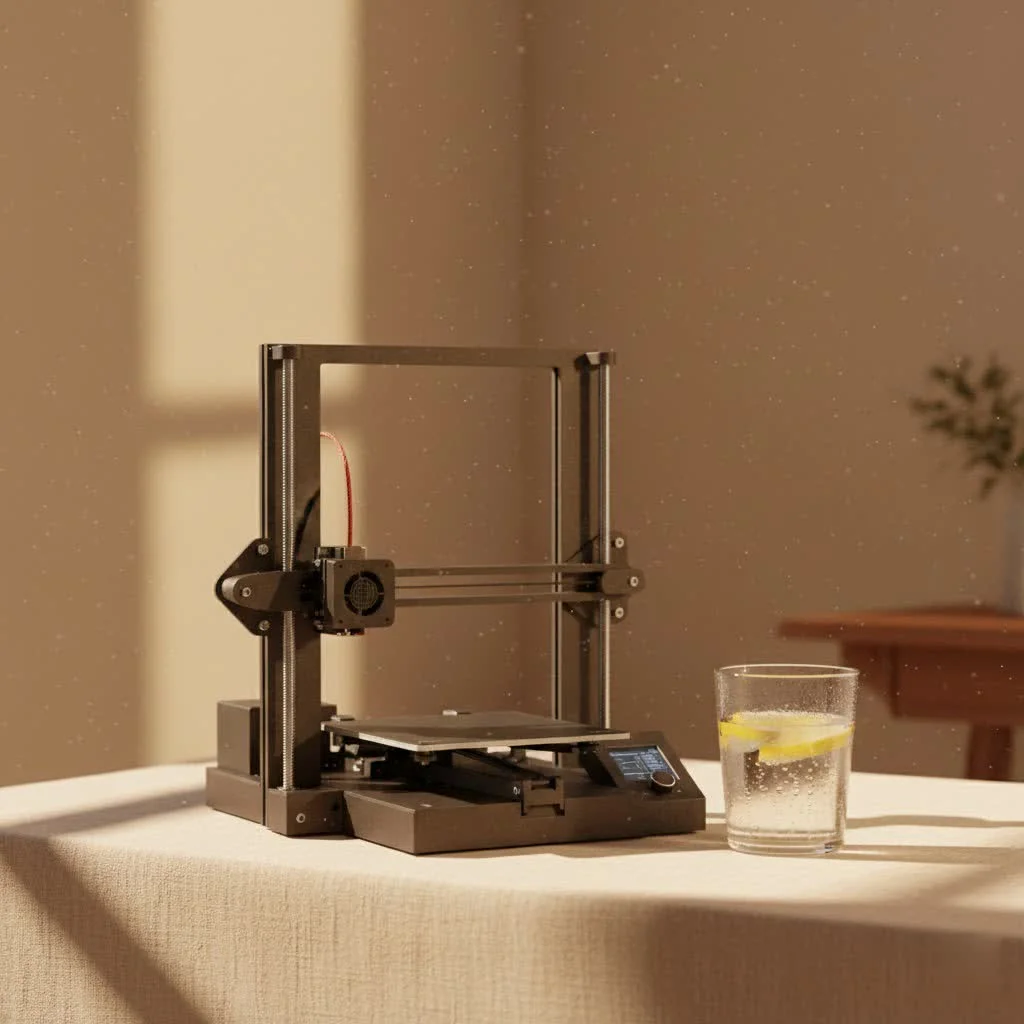
Today, the market is brimming with fantastic entry-level 3D printer options that offer robust features, impressive quality, and user-friendliness without breaking the bank. My goal is to guide you through what truly matters when choosing your first machine, ensuring you pick a printer that empowers your creativity and makes 3D printing an absolute joy.
What Makes a 3D Printer “Entry-Level” for Beginners?
When we talk about an entry-level 3D printer, we’re not just talking about price. We’re talking about a carefully crafted experience that prioritizes ease of use, reliable performance, and a supportive ecosystem. Here’s what sets these machines apart:
Ease of Use: Your Top Priority
For beginners, simplicity is key. The best entry-level 3D printer minimizes frustration and maximizes printing success with features like:
- Automatic Bed Leveling: This is a major upgrade! No more fiddling with screws to get the print bed perfectly flat. Modern entry-level printers often feature fully automatic calibration, allowing you to unbox, set up, and start printing with minimal manual adjustment. This ensures your first layer, the foundation of every print, adheres flawlessly.
- Intuitive User Interface (UI): A clear, easy-to-navigate touchscreen or simple controls make operations straightforward, even if you’ve never touched a 3D printer before.
- Simple Setup & Pre-assembly: Many beginner-friendly models come largely pre-assembled, meaning you’re printing within minutes or hours, not days. This removes a significant barrier for newcomers.
- Filament Runout Detection: This handy feature pauses your print if you run out of filament, preventing wasted time and material.
Affordability: Budget-Friendly Innovation
Let’s be real, price matters. An entry-level 3D printer typically falls into a sweet spot, offering excellent value without demanding a huge investment. You can find fantastic options generally ranging from $200 to $500. This makes the hobby accessible, allowing you to explore your interest without a significant financial commitment. to also factor in the ongoing cost of filament, though basic materials like PLA are quite economical.
FDM Technology: The Ideal Starting Point
When you first venture into 3D printing, you’ll likely encounter FDM (Fused Deposition Modeling) printers. This technology works by melting a thermoplastic filament and extruding it layer by layer to build your model from the ground up.
- Why FDM is Best for Beginners: FDM printers are generally more affordable, easier to operate, and safer for home use compared to other technologies like resin (SLA) printing. The materials are less messy, and the post-processing is typically simpler. It’s the perfect foundation for learning the basics of 3D printing.
Print Quality and Speed: Balancing Expectations
|
Our Picks for the Best 3D Printer in 2026
As an Amazon Associate I earn from qualifying purchases.
|
||
| Num | Product | Action |
|---|---|---|
| 1 | FLASHFORGE AD5X Multi-Color 3D Printer with IFS, 600mm/s High Speed, 300°C High Temp Direct Extruder, Fully Auto Leveling, All Metal CoreXY,4-Color Printing for PLA-CF,PETG-CF, 220x220x220mm |

|
| 2 | FLASHFORGE AD5M Pro 3D Printer 600mm/s High Speed & Precision, Full-Auto Calibration with 0.4&0.6mm Nozzle Bundle, CoreXY Structure & Auxiliary Chamber Cooling, ≤50 dB Quite Printing Camera Printers |
|
| 3 | Creality K2 SE Combo 3D Printer, Support Multicolor Printing with CFS, 500mm/s High-Speed, Smart Auto Leveling, Solid Metal Build Frame, Fully Assembled, Next-Gen Extruder, 220×215×245 mm Build Volume |
|
| 4 | FLASHFORGE AD5X Multi-Color 3D Printer, CoreXY 600mm/s High-Speed, 1-Click Auto Leveling, 300°C Direct Drive Extruder, 220x220x220mm Build Volume, Ideal for Precision and Efficiency |
|
| 5 | FLASHFORGE Adventurer 5M Pro 3D Printer with 1 Click Auto Printing System, 600mm/s High-Speed, Quick Detachable 280°C Nozzle, Core XY All-Metal Structure, Multi-Functional 220x220x220mm 3D Printer |
|
| 6 | FLASHFORGE AD5M 3D Printer Fully Auto Calibration Print with 1-Click Max 600mm/s Speed, All-Metal CoreXY Structure Precise Printing, Easy-Maintenance Quick-Swap Nozzle, Print Size 220x220x220mm |
|
| 7 | FLASHFORGE AD5X Multi-Color 3D Printer 4 Colors with IFS, Fully Auto Leveling FDM 3D Printer with Max 600mm/s High Speed Printing and Max 300°C Nozzle, Large Printing Size 220 * 220 * 220mm |
|
| 8 | Creality Ender 3 V3 SE 3D Printer, 250mm/s Faster Print Speed CR Touch Auto Leveling Sprite Direct Extruder Dual Z-Axis Auto Filament Loading Ender 3 Upgrade 3D Printer Print Size 8.66x8.66x9.84 inch |
|
| 9 | Anycubic Multicolor 3D Printer, Kobra S1 Combo Core XY Stable Structure with Sealed Printing High Precision 600mm/s Fast Speed Auto Calibration Ideal for Precision and Efficiency 9.8\"x9.8\"x9.8\" |
|
| 10 | FLASHFORGE Adventurer 5M 3D Printer with Fully Auto Leveling, Max 600mm/s High Speed Printing, 280°C Direct Extruder with 3S Detachable Nozzle, CoreXY All Metal Structure, Print Size 220x220x220mm |
|
While high-end industrial printers can achieve incredible speeds and minute details, modern entry-level 3D printer models deliver surprisingly good results for their price point.
- You can expect sufficient print quality for a wide range of functional parts, toys, prototypes, and decorative items.
- Many new entry-level printers also boast impressive speeds, significantly reducing print times compared to older generations. This keeps you engaged and quickly brings your ideas to life.
Material Compatibility: Starting with the Basics
Your entry-level 3D printer will primarily focus on common and easy-to-print filaments:
- PLA (Polylactic Acid): This is the go-to filament for beginners. It’s plant-based, easy to print with, comes in a vast array of colors, and produces good-looking prints with minimal warping.
- PETG (Polyethylene Terephthalate Glycol): A step up from PLA, PETG offers more strength, flexibility, and temperature resistance, making it great for functional parts. While some advanced materials like ABS or Nylon require an enclosed printing environment and higher temperatures, starting with PLA and PETG is perfect for mastering the fundamentals.
Community Support: Your Lifeline in Learning
One of the most valuable, yet often overlooked, features of an entry-level 3D printer is the community around it.
- A large, active online community (forums, Facebook groups, Reddit) provides an invaluable resource for troubleshooting, sharing tips, finding free models, and getting inspired. Many popular entry-level printers have massive user bases ready to help.
Top Entry-Level 3D Printer Recommendations
Based on my experience and the current market trends, here are some of the standout entry-level 3D printer options that consistently impress both beginners and seasoned makers:
Bambu Lab A1 Mini: The Smart Choice for Simplicity
The Bambu Lab A1 Mini has rapidly become a favorite for beginners. It’s a compact machine packed with smart features that make 3D printing almost effortless.
- Key Features: Blazing fast print speeds, full-auto calibration (seriously, it’s almost magic!), and compatibility with the AMS Lite system for incredibly easy multi-color and multi-material printing. Its intuitive interface and “appliance-like” ease of use are perfect for those who want to focus on creation rather than constant tweaking.
- Target User: If you’re looking for a hassle-free, high-performance entry-level 3D printer that feels incredibly polished and offers advanced features like multi-color printing, the A1 Mini is a top contender.
Creality Ender 3 V3 SE: The Budget-Friendly Workhorse
Creality has long been synonymous with entry-level 3D printer options, and the Ender 3 V3 SE continues that legacy by setting a new standard for budget-friendly performance.
- Key Features: This printer offers automatic bed leveling, a direct drive extruder (great for flexible filaments), and a modern LED interface, all at a surprisingly low price point. It’s an evolution of the wildly popular Ender 3 series, known for its reliability and upgradeability.
- Target User: The Ender 3 V3 SE is an excellent choice for cost-conscious beginners who want a reliable machine with essential modern features without breaking the bank. It provides a solid foundation for learning and growing.
Elegoo Neptune 3 Pro/4: A Strong Contender for Value
Elegoo’s Neptune series offers compelling value, often providing robust features at competitive prices.
- Key Features: These printers typically include auto bed leveling, decent print speeds, and a user-friendly design. They represent a strong option for those seeking a good balance of features and affordability.
- Target User: If you’re looking for a feature-rich entry-level 3D printer that delivers solid performance, the Neptune series is Do note that some users have reported firmware nuances with the Neptune 4, so joining community groups for support is always a good idea.
Other Noteworthy Mentions
- Prusa MINI+: While often a bit higher in price, Prusa printers are renowned for their exceptional reliability and the phenomenal community support surrounding them. A solid, long-term investment for serious beginners.
- FlashForge Adventurer 3 Lite: Known for its compact size, enclosed print chamber, and user-friendly features like auto-bed leveling and a built-in camera, making it a great plug-and-play option.
Getting Started with Your Entry-Level 3D Printer: Pro Tips
Once you’ve chosen your entry-level 3D printer, here are a few tips from my decades in the field to help you hit the ground running:
- Calibrate and Maintain: Even with automatic features, a quick check of your bed leveling and nozzle before important prints can save headaches. Keep your print bed clean and lubricate moving parts as per the manufacturer’s recommendations. Regular maintenance ensures consistent quality.
- Start Simple: Don’t try to print a complex, multi-part engineering project on day one. Begin with small, easy-to-print models. Websites like Thingiverse, Cults3D, and Printables offer thousands of free, beginner-friendly STL files. This helps you understand the basics without getting overwhelmed.
- Join the Community: Seriously, this is gold. Find online groups dedicated to your specific entry-level 3D printer model. You’ll find answers to almost any question, discover clever tricks, and get inspired by what others are creating.
- Embrace the Learning Curve: 3D printing is a skill, and like any skill, it takes practice. You’ll have failed prints, filament tangles, and adhesion issues. It’s all part of the process! Learn from each challenge, and you’ll become a much better printer.
FAQs About Entry-Level 3D Printers
What’s the best budget for a beginner 3D printer?
Generally, a budget of $200-$500 will give you access to excellent entry-level 3D printer options that balance affordability with performance and ease of use. This range includes many of the most recommended models.
Do I need technical skills to use an entry-level 3D printer?
No advanced technical skills are required! Modern entry-level 3D printer models are designed with beginners in mind, featuring automatic functions (like bed leveling and filament detection) and intuitive interfaces that simplify the process.
What materials are best for beginners?
PLA (Polylactic Acid) is hands down the best material to start with. It’s easy to print, forgiving, and widely available. Once comfortable, PETG is a great next step for more durable prints.
Is auto bed leveling really important?
Absolutely! Automatic bed leveling is a crucial feature for beginners. It ensures your first print layer adheres correctly to the build plate, which is fundamental for successful prints and significantly reduces frustration.
Where can I find free 3D models?
There are many fantastic online repositories for free 3D models, including Thingiverse, Printables, and Cults3D. These platforms offer thousands of designs, from functional tools to decorative items and toys, perfect for testing your new entry-level 3D printer.
Your 3D Printing Journey Begins Now
Choosing your first entry-level 3D printer is a big step into a world of endless creation. It’s about more than just buying a machine; it’s about investing in a hobby that fosters problem-solving, creativity, and a tangible connection to your digital designs. From my years observing and participating in this industry, I can confidently say that the current crop of entry-level 3D printer models offers an unparalleled entry point for anyone eager to turn their ideas into reality.
So, take the plunge! Get your hands on an entry-level 3D printer, join the vibrant community, and start bringing your imagination to life, one layer at a time. The possibilities are truly limitless, and I can’t wait to see what you’ll create!
Frequently Asked Questions
What is the recommended budget for a beginner's 3D printer?
A budget between $200 and $500 is generally recommended for a beginner 3D printer. This price range provides access to excellent entry-level models that balance affordability with performance and ease of use, offering features like automatic bed leveling.
Are technical skills necessary to operate an entry-level 3D printer?
No advanced technical skills are required to use an entry-level 3D printer. Modern models are designed for beginners, incorporating automatic functions such as bed leveling and filament detection, along with intuitive interfaces to simplify the printing process.
Which filament materials are best suited for new 3D printing enthusiasts?
PLA (Polylactic Acid) is the best material for beginners due to its ease of printing, forgiving nature, and wide availability. Once comfortable with PLA, PETG (Polyethylene Terephthalate Glycol) is a great next step for creating more durable prints.
How important is automatic bed leveling for a beginner 3D printer?
Automatic bed leveling is extremely important for beginners. This feature ensures that the first layer of your print adheres correctly to the build plate, which is fundamental for successful prints and significantly reduces common frustrations associated with manual adjustments.
Where can I find free 3D models to print with my new machine?
You can find thousands of free 3D models on online repositories like Thingiverse, Printables, and Cults3D. These platforms offer a vast selection of designs, from functional tools to decorative items, perfect for testing and enjoying your new entry-level 3D printer.
Getting Started with Your Entry-Level 3D Printer
Follow these essential tips to successfully set up and use your first 3D printer, ensuring a smooth and rewarding experience.
Regularly check your bed leveling and nozzle before important prints to prevent issues. Keep the print bed clean and lubricate moving parts according to the manufacturer's instructions. Consistent maintenance ensures optimal print quality and longevity.
Avoid complex projects initially. Begin by printing small, easy-to-manage models from websites like Thingiverse or Printables. This approach helps you grasp the fundamental concepts of 3D printing without feeling overwhelmed.
Engage with online groups dedicated to your specific 3D printer model. These communities are invaluable resources for troubleshooting, sharing tips, discovering new tricks, and finding inspiration from other makers.
Understand that 3D printing is a skill that requires practice. You will encounter failed prints, filament tangles, and adhesion problems. Learn from each challenge to improve your printing abilities over time.
Get our weekly buyer guide
Practical specs, not advice. Unsubscribe anytime.
I finally took the plunge and bought the Creality Ender 3 V2 mentioned in the post, and I couldn’t be happier! Setting it up was surprisingly straightforward, even for a complete newbie like me. I’ve already printed a few small models, and the quality is fantastic for the price. Definitely recommend it if you’re looking for something reliable under $300.
The advice about choosing a printer that minimizes frustration was spot on. I went with the Prusa Mini+ and while it was a bit above the typical entry-level price range, the consistent results and excellent community support have made it worth every penny. It’s truly a joy to use and has made learning 3D printing so much fun.
I picked up the Elegoo Neptune 3 Pro because it was in my budget, around the $250 mark. While it prints well most of the time, I’ve had a bit of trouble with bed adhesion on larger prints. It’s not a deal-breaker, but it does require a bit more tweaking than I expected for an ‘entry-level’ machine. Still, it’s a good starting point.
I’ve been eyeing 3D printers for a while, and the focus on ease of use for beginners really resonated with me. I ended up getting the Anycubic Kobra Go, and it’s been a solid performer. The auto-leveling feature is a lifesaver, and I haven’t had any major print failures yet. It’s a great machine for getting started without too much hassle.