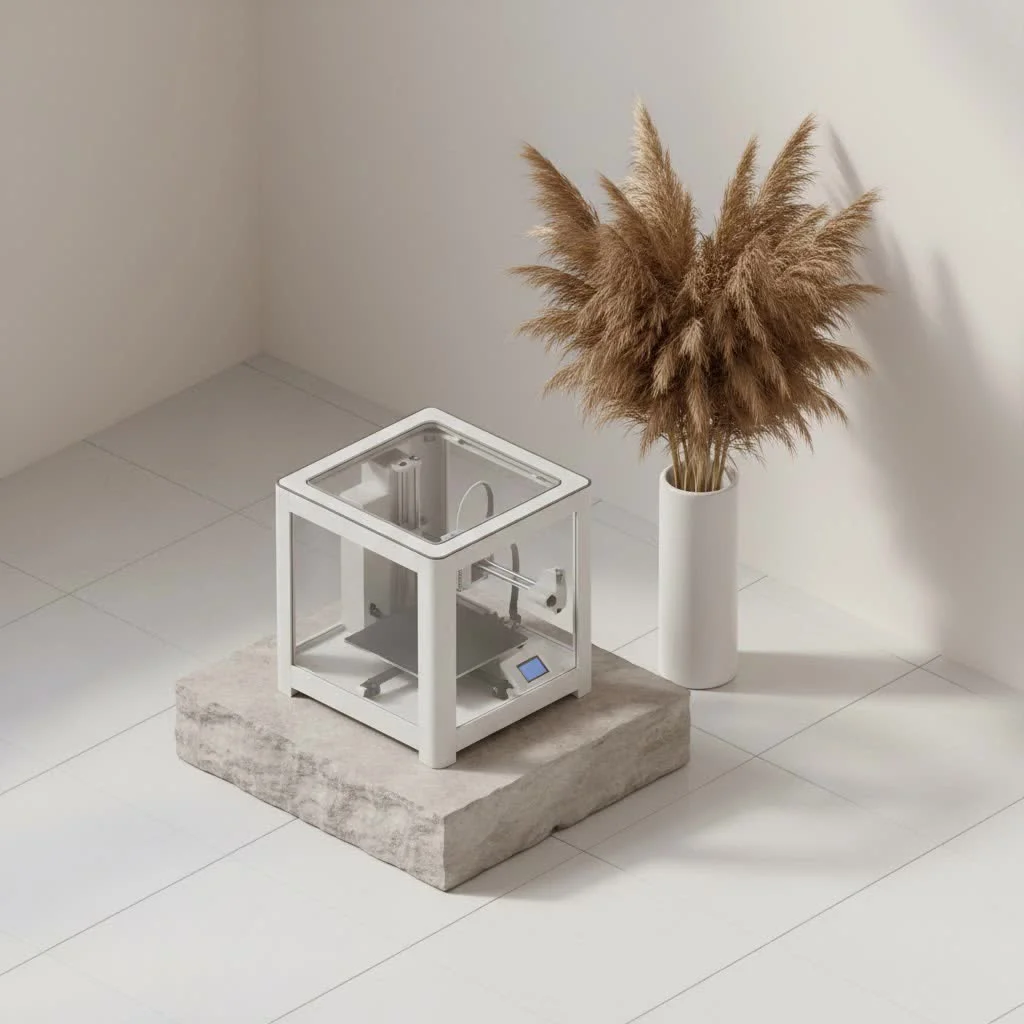
A 3D printer is a machine that builds three-dimensional objects layer by layer from a digital design, a process known as additive manufacturing. This technology, pioneered by Charles Hull in the 1980s with stereolithography, contrasts with traditional subtractive methods by meticulously adding material rather than removing it. Today, 3D printers are transforming industries and empowering creators to turn digital designs into physical objects, from intricate models to functional parts.
What Exactly is a 3D Printer?
At its core, a 3D printer functions as a “digital sculptor” that constructs objects by adding material incrementally until the desired form is complete. This additive manufacturing process differs significantly from traditional methods that involve cutting or carving material away from a larger block. The foundational work for 3D printing began in the 1980s with Charles Hull’s invention of stereolithography, which laid the groundwork for the diverse range of technologies available today. For best 3d printing roundups on this site.
How Does a 3D Printer Bring Ideas to Life? The Core Process
The creation of a physical object by a 3D printer involves a precise sequence of digital instructions and physical material deposition.
The Digital Blueprint: From CAD to Sliced Layers
Every physical object created by a 3D printer originates as a digital blueprint. Designers utilize Computer-Aided Design (CAD) software to develop a 3D model, which is a detailed digital representation of the object. Once finalized, this design is typically exported into a standard file format such as STL or OBJ.
Following the design phase, the digital model undergoes a critical “slicing” process. Specialized slicing software virtually divides the 3D model into hundreds or even thousands of ultra-thin horizontal layers. This is analogous to slicing a loaf of bread, where each slice represents a layer the 3D printer will construct. The sliced file also contains precise instructions for the printer, including the path the printing head or laser should follow for each layer and the placement of any necessary support structures.
The Layer-by-Layer Magic: Building the Physical Object
Once the sliced file is prepared, the 3D printer begins its operation. Depending on the specific type of 3D printer, it employs various methods to deposit or cure material layer upon layer onto a build platform. As each new layer is added, it solidifies and fuses with the preceding layer, progressively forming the complete three-dimensional object.
This process utilizes a diverse array of materials. While plastics like PLA and ABS are common for many desktop 3D printers, the material options extend significantly. These include resins for highly detailed prints, powdered metals for industrial-strength components, ceramics, and even bio-materials for advanced medical applications. For complex geometries with overhangs, the printer may create temporary support structures that are subsequently removed, ensuring the design maintains its shape during the build process.
Unveiling the Diverse Family of 3D Printers
Just as there are multiple construction methods for a building, there are several distinct types of 3D printers, each possessing unique strengths and ideal applications. Understanding these differences is crucial for selecting the appropriate tool for specific needs.
Fused Deposition Modeling (FDM/FFF): The Everyday Hero
|
Our Picks for the Best 3D Printer in 2026
As an Amazon Associate I earn from qualifying purchases.
|
||
| Num | Product | Action |
|---|---|---|
| 1 | Creality Ender 3 V3 SE 3D Printer, 250mm/s Faster Print Speed CR Touch Auto Leveling Sprite Direct Extruder Dual Z-Axis Auto Filament Loading Ender 3 Upgrade 3D Printer Print Size 8.66x8.66x9.84 inch |

|
| 2 | FLASHFORGE AD5X Multi-Color 3D Printer with IFS, 600mm/s High Speed, 300°C High Temp Direct Extruder, Fully Auto Leveling, All Metal CoreXY,4-Color Printing for PLA-CF,PETG-CF, 220x220x220mm |
|
| 3 | FLASHFORGE AD5M Pro 3D Printer 600mm/s High Speed & Precision, Full-Auto Calibration with 0.4&0.6mm Nozzle Bundle, CoreXY Structure & Auxiliary Chamber Cooling, ≤50 dB Quite Printing Camera Printers |
|
| 4 | FLASHFORGE AD5M 3D Printer Fully Auto Calibration Print with 1-Click Max 600mm/s Speed, All-Metal CoreXY Structure Precise Printing, Easy-Maintenance Quick-Swap Nozzle, Print Size 220x220x220mm |
|
| 5 | FLASHFORGE AD5X Multi-Color 3D Printer, CoreXY 600mm/s High-Speed, 1-Click Auto Leveling, 300°C Direct Drive Extruder, 220x220x220mm Build Volume, Ideal for Precision and Efficiency |
|
| 6 | Anycubic Multicolor 3D Printer, Kobra S1 Combo Core XY Stable Structure with Sealed Printing High Precision 600mm/s Fast Speed Auto Calibration Ideal for Precision and Efficiency 9.8\"x9.8\"x9.8\" |
|
| 7 | FLASHFORGE Adventurer 5M 3D Printer with Fully Auto Leveling, Max 600mm/s High Speed Printing, 280°C Direct Extruder with 3S Detachable Nozzle, CoreXY All Metal Structure, Print Size 220x220x220mm |
|
| 8 | FLASHFORGE AD5X Multi-Color 3D Printer 4 Colors with IFS, Fully Auto Leveling FDM 3D Printer with Max 600mm/s High Speed Printing and Max 300°C Nozzle, Large Printing Size 220 * 220 * 220mm |
|
| 9 | Creality K2 SE Combo 3D Printer, Support Multicolor Printing with CFS, 500mm/s High-Speed, Smart Auto Leveling, Solid Metal Build Frame, Fully Assembled, Next-Gen Extruder, 220×215×245 mm Build Volume |
|
| 10 | FLASHFORGE Adventurer 5M Pro 3D Printer with 1 Click Auto Printing System, 600mm/s High-Speed, Quick Detachable 280°C Nozzle, Core XY All-Metal Structure, Multi-Functional 220x220x220mm 3D Printer |
|
Fused Deposition Modeling (FDM), also known as Fused Filament Fabrication (FFF), is widely recognized as the most common and accessible 3D printing technology for both hobbyists and professionals. FDM printers operate by feeding a spool of thermoplastic filament (e.g., PLA or ABS) into a heated nozzle, which melts the material. This molten plastic is then precisely extruded onto the build platform, layer by layer, cooling and solidifying upon deposition.
FDM printers are considered the workhorses of the 3D printing world due to their affordability, ease of operation, and use of common, inexpensive materials. Although FDM prints may exhibit faint layer lines, they are excellent for functional prototypes, custom tools, and various household items. As John M. Davies, a senior engineer at WMTSV, states, “FDM is the gateway to 3D printing for so many people. It’s where you learn the fundamentals and really get your hands dirty building things.”
Stereolithography (SLA): Precision and Smoothness
For applications requiring incredibly fine details and ultra-smooth surfaces, Stereolithography (SLA) is often the preferred choice. Invented by Charles Hull, SLA was the world’s first 3D printing technology. These printers utilize a UV laser to selectively cure (harden) liquid photopolymer resin, layer by layer, within a vat.
The precision offered by SLA machines is unmatched for many applications, excelling in the production of high-accuracy prototypes, intricate jewelry designs, and dental models where minute features are critical. A drawback is that SLA prints can be more brittle than FDM prints and necessitate careful handling of liquid resins and post-processing steps such as washing and UV curing.
Selective Laser Sintering (SLS): Strength Without Supports
Selective Laser Sintering (SLS) is an excellent option for creating strong, functional parts with complex geometries that do not require support structures during printing. SLS printers employ a high-powered laser to sinter (fuse together) small particles of polymer powder, layer by layer, into a solid structure. The unfused powder surrounding the part naturally acts as its support.
This unique process makes SLS ideal for producing parts with internal features, undercuts, and thin walls that would be challenging or impossible with FDM without extensive support removal. Parts manufactured with SLS often possess mechanical characteristics similar to injection-molded components, making them suitable for end-use applications across various industries.
Other Notable Technologies
The 3D printing landscape is extensive and continuously evolving:
- Digital Light Processing (DLP): Similar to SLA, but uses a digital light projector to cure entire layers of resin simultaneously, often resulting in faster print times.
- Metal 3D Printing (DMLS, EBM): Technologies such as Direct Metal Laser Sintering (DMLS) and Electron Beam Melting (EBM) use lasers or electron beams to fuse metal powders, producing exceptionally strong, complex metal parts for aerospace and automotive industries.
- Binder Jetting: This method uses a liquid binding agent to join powdered particles, which are then often sintered for enhanced strength.
- Multi Jet Fusion (MJF): HP’s proprietary technology that utilizes a fusing agent and detailing agent to rapidly produce durable, high-quality parts.
What Can You Create? Real-World Applications of 3D Printers
The versatility of 3D printers makes them indispensable tools across numerous industries, driving innovation and addressing real-world challenges.
From Prototypes to Production: Driving Innovation
One of the earliest and most significant applications of a 3D printer is rapid prototyping. Designers and engineers can quickly and affordably create physical models of their designs, enabling rapid iteration, testing, and refinement before committing to expensive traditional manufacturing processes. Beyond prototypes, 3D printers are now used to create jigs, fixtures, and custom tooling that optimize production lines and improve efficiency.
Revolutionizing Healthcare and Medical Devices
The medical field has been profoundly impacted by 3D printing. This includes custom-fitted prosthetics that are more comfortable and affordable for patients, highly accurate anatomical models for surgeons to practice complex procedures, and patient-specific implants that integrate seamlessly with the body. The future holds promise for bioprinting, where scientists are exploring the creation of human tissues and organs, representing a significant advancement in medicine.
Shaping Industries: Automotive, Aerospace, and Consumer Goods
In the automotive and aerospace sectors, 3D printers are used to create lightweight, complex components that enhance performance and fuel efficiency. From intricate engine parts to air ducts and customized brackets, the ability to produce geometries impossible with traditional methods offers a substantial advantage.
Even in consumer goods, 3D printing is making significant inroads. Examples include custom-fit eyewear, personalized footwear, unique home decor, and bespoke jewelry. The technology facilitates mass customization, allowing products to be tailored to individual preferences, offering a level of personalization previously unattainable. It is possible to print food, with chocolate sculptures and custom sugar designs already a reality.
Choosing Your First 3D Printer: A Beginner’s Compass
Entering the world of 3D printing can seem daunting given the multitude of options. For beginners, the primary considerations are balancing budget, desired print quality, and ease of use.
For those just starting, FDM printers such as the Bambu Lab A1 Mini or the Creality Ender 3 V3 SE are frequently recommended due to their affordability, extensive community support, and relatively simple operation. These machines provide an excellent entry point for learning the fundamentals without a significant financial outlay. Consider your primary printing goals: if functional parts and general tinkering are the aim, FDM is superb. If highly detailed miniatures are your objective, a resin (SLA/DLP) printer might be a better, though slightly more involved, starting point.
For highly specialized or occasional complex projects, it may be more cost-effective to utilize an online 3D printing service rather than investing in a personal machine. However, for the satisfaction of creating and learning, owning a 3D printer in your workshop is unparalleled.
The WMTSV Expert Perspective: Embracing the Future of Making
Having been deeply involved in 3D printing for over 15 years, I have witnessed its remarkable evolution firsthand. It has transitioned from a niche technology to a powerful, accessible tool that is democratizing manufacturing. The excitement of observing a complex design materialize layer by layer never diminishes. My primary advice for anyone looking to begin is simple: embrace experimentation, learn from every print, and most importantly, enjoy the process! The community is incredibly supportive, and the resources available today, including those on WMTSV, are designed to ensure your success safely and effectively.
Frequently Asked Questions
Q: Is 3D printing difficult to learn?
A: While there is a learning curve, 3D printing has become significantly more user-friendly in recent years. Many beginner-friendly 3D printer models feature auto-leveling and intuitive software, simplifying the initial setup and printing process. Patience and a willingness to troubleshoot are essential for success.
Q: What materials can a 3D printer use?
A: Modern 3D printers can utilize a wide array of materials, including various plastics (PLA, ABS, PETG, Nylon), photopolymer resins, metal powders, ceramic powders, composites, and even food-grade materials like chocolate and sugar. The specific material options are highly dependent on the type of 3D printer.
Q: How much does a 3D printer cost?
A: The price of a 3D printer varies significantly. Entry-level desktop FDM 3D printer models can be purchased for a few hundred dollars, making them highly accessible for hobbyists. Professional and industrial-grade machines, particularly those employing metal or advanced resin technologies, can range from several thousand to hundreds of thousands of dollars.
Q: Can I really print anything with a 3D printer?
A: While 3D printers offer incredible versatility, practical limitations exist. The size of the object is restricted by the printer’s build volume, and complexity can be constrained by the chosen printing technology and material. However, possibilities are continuously expanding with ongoing advancements in materials and printer capabilities.
Q: What’s the main difference between FDM and SLA?
A: The main difference between FDM (Fused Deposition Modeling) and SLA (Stereolithography) lies in their printing method and materials. FDM printers extrude melted plastic filament layer by layer, known for affordability and functional prototypes. SLA printers use a UV laser to cure liquid resin, offering much higher detail and smoother surfaces, ideal for intricate models and artistic pieces.
Q: Is 3D printing environmentally friendly?
A: This is a complex question. 3D printing is an additive process, which generally produces less waste compared to subtractive manufacturing. It also enables on-demand production, reducing excess inventory. However, the environmental impact also depends on the materials used (some plastics are biodegradable, others are not) and the energy consumption of the machines.
Q: Where can I find 3D models to print?
A: Numerous online repositories offer 3D models, many with free downloads. Popular platforms include Thingiverse, Printables, MyMiniFactory, and Cults3D. For designing your own, software like Tinkercad (beginner-friendly) or Fusion 360 (more advanced) can assist in creating unique digital blueprints.
Conclusion
The 3D printer is more than just a piece of equipment; it is a gateway to innovation, creativity, and problem-solving. From its early beginnings to its current widespread adoption across countless industries, this additive manufacturing marvel continues to push the boundaries of what is possible. Whether you are an aspiring inventor, a hobbyist, or a seasoned professional, understanding and utilizing a 3D printer empowers you to transform digital ideas into tangible realities. We encourage you to explore our resources at WMTSV and share your incredible 3D printing journeys with our community!
Frequently Asked Questions
Is 3D printing difficult for a beginner to learn?
While there is a learning curve, 3D printing has become significantly more user-friendly in recent years. Many beginner-friendly 3D printer models feature auto-leveling and intuitive software, simplifying the initial setup and printing process. Patience and a willingness to troubleshoot are essential for success.
What types of materials can a 3D printer use?
Modern 3D printers can utilize a wide array of materials, including various plastics (PLA, ABS, PETG, Nylon), photopolymer resins, metal powders, ceramic powders, composites, and even food-grade materials like chocolate and sugar. The specific material options are highly dependent on the type of 3D printer.
How much does a typical 3D printer cost?
The price of a 3D printer varies significantly. Entry-level desktop FDM 3D printer models can be purchased for a few hundred dollars, making them highly accessible for hobbyists. Professional and industrial-grade machines, particularly those employing metal or advanced resin technologies, can range from several thousand to hundreds of thousands of dollars.
What is the main difference between FDM and SLA 3D printers?
The main difference between FDM (Fused Deposition Modeling) and SLA (Stereolithography) lies in their printing method and materials. FDM printers extrude melted plastic filament layer by layer, known for affordability and functional prototypes. SLA printers use a UV laser to cure liquid resin, offering much higher detail and smoother surfaces, ideal for intricate models and artistic pieces.
Where can I find 3D models to print?
Numerous online repositories offer 3D models, many with free downloads. Popular platforms include Thingiverse, Printables, MyMiniFactory, and Cults3D. For designing your own, software like Tinkercad (beginner-friendly) or Fusion 360 (more advanced) can assist in creating unique digital blueprints.
Is 3D printing considered an environmentally friendly manufacturing process?
This is a complex question. 3D printing is an additive process, which generally produces less waste compared to subtractive manufacturing. It also enables on-demand production, reducing excess inventory. However, the environmental impact also depends on the materials used (some plastics are biodegradable, others are not) and the energy consumption of the machines.
Choosing Your First 3D Printer
Selecting the right 3D printer for beginners involves balancing budget, desired print quality, and ease of use to ensure a positive entry into additive manufacturing.
Determine how much you are willing to spend on a 3D printer. Consider what types of objects you primarily want to print, such as functional parts, detailed miniatures, or general tinkering items. This will help narrow down suitable technologies.
For beginners, FDM (Fused Deposition Modeling) printers like the Bambu Lab A1 Mini or Creality Ender 3 V3 SE are often recommended. They are affordable, have strong community support, and are relatively simple to operate, making them excellent entry points.
If your goal is hyper-detailed miniatures, intricate jewelry, or models with ultra-smooth surfaces, a resin (SLA/DLP) printer might be a better starting point. Be aware that these typically involve more post-processing steps and careful handling of liquid resins.
Look for printers with robust online communities and readily available resources. Strong community support can be invaluable for troubleshooting, finding tutorials, and learning new techniques as you begin your 3D printing journey.
For highly specialized or occasional complex projects, it might be more cost-effective to use an online 3D printing service rather than investing in your own machine. This allows access to advanced technologies without the upfront cost.
Get our weekly buyer guide
Practical specs, not advice. Unsubscribe anytime.
I’ve been using a 3D printer for my miniatures for a while now, and the detail I can get with additive manufacturing is just incredible. It’s so much better than trying to sculpt everything by hand. The ability to turn a digital design into a physical object with such precision has really elevated my hobby.
As someone who used to do a lot of traditional subtractive manufacturing, the shift to 3D printing has been a game-changer. The material waste is significantly reduced, and the complexity of designs I can now achieve is mind-blowing. It’s truly empowering for creators.
I recently got into 3D printing for prototyping small parts for my business. The process of building layer by layer is fascinating and very efficient. My only minor complaint is that sometimes the initial setup for new designs can be a bit tricky, but once it’s going, the results are fantastic.
I appreciate the concept of additive manufacturing, but I’ve had some issues with my printer. While it’s great for creating intricate models, I’ve found that getting consistent results with certain materials can be a challenge. Sometimes the layers don’t adhere perfectly, which is a bit frustrating when you’re trying to make functional parts.