Elegoo 3D printers are a popular choice for both hobbyists and professionals, offering a diverse range of FDM (Fused Deposition Modeling) and resin (MSLA) models that transform digital designs into physical objects. Elegoo has established itself as a leader in accessible 3D printing technology, known for innovation, quality, and user-friendly features across its Neptune (FDM), Mars (compact resin), and Saturn (large-format resin) series.
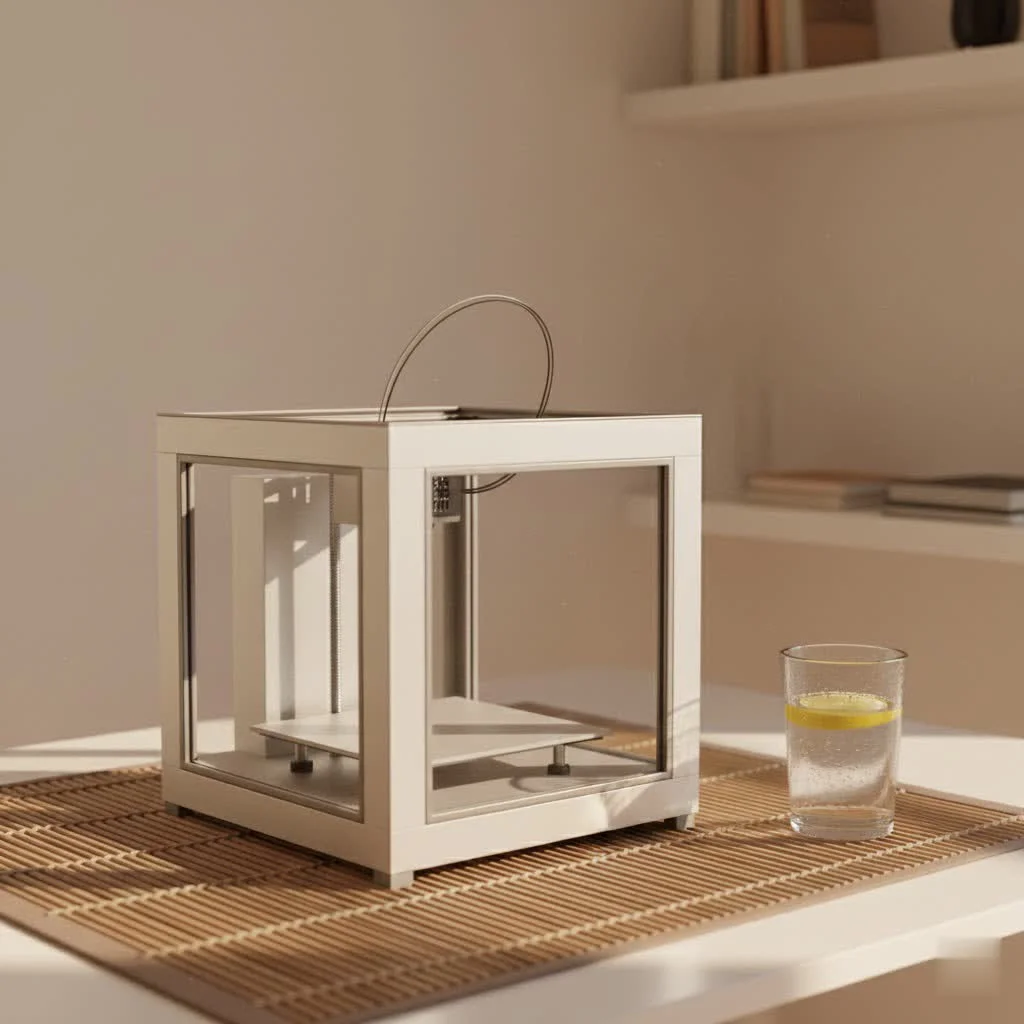
Whether you’re taking your first tentative steps into 3D printing or looking to expand an existing print farm, understanding the diverse range of Elegoo 3D printers available is key to making an informed decision. This guide will walk you through the distinctive features, applications, and optimal use cases for Elegoo’s popular FDM and resin printer lines, ensuring you find the perfect machine to fuel your creative endeavors.
Elegoo’s Ecosystem: FDM vs. Resin 3D Printing
Elegoo offers two primary types of 3D printers, each utilizing a different technology to build objects layer by layer: Fused Deposition Modeling (FDM) and Stereolithography (SLA) or Masked Stereolithography (MSLA). Understanding the core differences between these technologies is crucial for selecting the right Elegoo 3D printer for your specific needs.
The Neptune Series: Your Gateway to FDM Printing
Elegoo’s Neptune series represents their FDM printer lineup, renowned for its versatility, larger build volumes, and ability to work with a wide array of filament materials. These printers are ideal for creating functional prototypes, mechanical parts, larger models, and objects where strength and material variety are more important than microscopic detail.
Models like the Elegoo Neptune 4 Pro and the Centauri Carbon exemplify the brand’s dedication to high-performance FDM printing. The Neptune 4 Pro, for instance, boasts impressive print speeds of up to 500mm/s, largely thanks to its integrated Klipper firmware, a powerful open-source control system that allows for faster and more precise movements. It also features a dual-gear direct extruder, which provides superior control over filament feeding, making it compatible with flexible materials like TPU, in addition to common options like PLA, PETG, and ABS. Auto bed leveling and a flexible magnetic PEI platform further enhance the user experience, simplifying setup and print removal.
The Centauri Carbon, Elegoo’s entry into the high-speed CoreXY FDM market, offers a fully enclosed design, allowing for better temperature control and compatibility with advanced materials such as carbon fiber composites, which require stable printing environments. With its robust build quality and auxiliary cooling fans, the Centauri Carbon delivers remarkable value for those seeking both speed and the ability to work with engineering-grade filaments.
“Elegoo has consistently pushed the boundaries of accessible 3D printing. Their commitment to integrating advanced features, from high-resolution resin printing to Klipper-powered FDM machines, into user-friendly packages is why they’ve become a go-to for both aspiring hobbyists and seasoned professionals,” says Dr. Anya Sharma, a renowned additive manufacturing specialist with over a decade in the field.
The Mars & Saturn Series: Precision in Resin Printing
|
Our Picks for the Best 3D Printer in 2026
As an Amazon Associate I earn from qualifying purchases.
|
||
| Num | Product | Action |
|---|---|---|
| 1 | Creality Ender 3 V3 SE 3D Printer, 250mm/s Faster Print Speed CR Touch Auto Leveling Sprite Direct Extruder Dual Z-Axis Auto Filament Loading Ender 3 Upgrade 3D Printer Print Size 8.66x8.66x9.84 inch |

|
| 2 | FLASHFORGE AD5M 3D Printer Fully Auto Calibration Print with 1-Click Max 600mm/s Speed, All-Metal CoreXY Structure Precise Printing, Easy-Maintenance Quick-Swap Nozzle, Print Size 220x220x220mm |
|
| 3 | Creality K2 SE Combo 3D Printer, Support Multicolor Printing with CFS, 500mm/s High-Speed, Smart Auto Leveling, Solid Metal Build Frame, Fully Assembled, Next-Gen Extruder, 220×215×245 mm Build Volume |
|
| 4 | FLASHFORGE Adventurer 5M 3D Printer with Fully Auto Leveling, Max 600mm/s High Speed Printing, 280°C Direct Extruder with 3S Detachable Nozzle, CoreXY All Metal Structure, Print Size 220x220x220mm |
|
| 5 | FLASHFORGE AD5M Pro 3D Printer 600mm/s High Speed & Precision, Full-Auto Calibration with 0.4&0.6mm Nozzle Bundle, CoreXY Structure & Auxiliary Chamber Cooling, ≤50 dB Quite Printing Camera Printers |
|
| 6 | FLASHFORGE AD5X Multi-Color 3D Printer 4 Colors with IFS, Fully Auto Leveling FDM 3D Printer with Max 600mm/s High Speed Printing and Max 300°C Nozzle, Large Printing Size 220 * 220 * 220mm |
|
| 7 | Anycubic Multicolor 3D Printer, Kobra S1 Combo Core XY Stable Structure with Sealed Printing High Precision 600mm/s Fast Speed Auto Calibration Ideal for Precision and Efficiency 9.8\"x9.8\"x9.8\" |
|
| 8 | FLASHFORGE AD5X Multi-Color 3D Printer with IFS, 600mm/s High Speed, 300°C High Temp Direct Extruder, Fully Auto Leveling, All Metal CoreXY,4-Color Printing for PLA-CF,PETG-CF, 220x220x220mm |
|
| 9 | FLASHFORGE Adventurer 5M Pro 3D Printer with 1 Click Auto Printing System, 600mm/s High-Speed, Quick Detachable 280°C Nozzle, Core XY All-Metal Structure, Multi-Functional 220x220x220mm 3D Printer |
|
| 10 | FLASHFORGE AD5X Multi-Color 3D Printer, CoreXY 600mm/s High-Speed, 1-Click Auto Leveling, 300°C Direct Drive Extruder, 220x220x220mm Build Volume, Ideal for Precision and Efficiency |
|
When it comes to capturing intricate details and achieving ultra-smooth surface finishes, Elegoo’s Mars and Saturn series resin (MSLA) 3D printers are second to none. These printers use UV light to cure liquid resin layer by layer, resulting in objects with incredibly high resolution. They are the perfect choice for crafting miniatures, jewelry, dental models, highly detailed artistic pieces, and small, precision components.
The Elegoo Mars 5 Ultra, a popular choice, offers a compact form factor with an impressive 9K monochrome LCD, delivering exceptional detail with an 18 x 18 micron XY resolution. Its user-friendly features like auto-leveling and a built-in camera make it surprisingly approachable even for beginners in resin printing.
For those requiring a larger build volume without compromising on resolution, the Elegoo Saturn series steps up. Models like the Saturn 3 Ultra (12K resolution) and the Saturn 4 Ultra (a staggering 16K resolution) provide expanded build areas, catering to makers and small businesses producing high-volume, highly accurate models. A standout feature in the latest Saturn models is the “tilt release” technology, which significantly speeds up printing by minimizing the peel forces between the cured layer and the FEP film. This ingenious mechanism not only accelerates print times but also contributes to greater print success rates, especially with larger, more delicate models. Elegoo’s resin printers support various resin types, including standard, water-washable, ABS-like, and plant-based options, expanding creative possibilities.
Choosing Your Perfect Elegoo 3D Printer: Key Considerations
Selecting the right Elegoo 3D printer can feel like navigating a maze, but by focusing on a few key factors, you can zero in on the perfect machine for your aspirations.
What Are You Printing? Project Type and Detail Level
- For High Detail & Smooth Finishes (Miniatures, Jewelry, Prototypes): The Elegoo Mars series (e.g., Mars 5 Ultra) is excellent for smaller, highly detailed resin prints. For larger, equally detailed resin projects, the Elegoo Saturn series (e.g., Saturn 3 Ultra, Saturn 4 Ultra) provides increased build volume with incredible resolution.
- For Functional Parts & Larger Models (Tools, Enclosures, Cosplay): An Elegoo FDM printer from the Neptune series (e.g., Neptune 4 Pro, Neptune 4 Plus, Centauri Carbon) is your best bet. These machines handle a wider range of robust filaments and offer significantly larger print areas.
Speed and Efficiency: Getting Your Prints Faster
Modern 3D printing is all about speed, and Elegoo doesn’t disappoint.
- FDM Speed: Elegoo’s Neptune 4 series, particularly the Pro and Plus models, leverage Klipper firmware to achieve rapid print speeds, often exceeding 500mm/s. This makes them highly efficient for churning out functional parts quickly.
- Resin Speed: While typically slower than FDM, newer resin printers like the Mars 5 Ultra and Saturn 4 Ultra incorporate “tilt release” technology, which significantly boosts print speeds, allowing for completion of detailed models at up to 150mm per hour. This innovation means less waiting for your intricate creations.
Build Volume: How Big Can You Go?
The physical size of your intended prints dictates the required build volume.
- Compact Resin: Elegoo Mars series offers smaller build volumes, perfect for individual miniatures or small batches of intricate items.
- Large Resin: The Elegoo Saturn series expands on this, providing substantial build volumes for larger resin projects or multiple prints simultaneously.
- Expansive FDM: Elegoo’s Neptune series, especially models like the Neptune 4 Plus, offers generous build volumes, reaching up to 320 x 320 x 385mm, making them suitable for cosplay props, large enclosures, and architectural models.
Ease of Use and Features for Every Skill Level
Elegoo prioritizes user experience, offering features that benefit both novices and experienced users.
- Beginner-Friendly: Look for auto bed leveling, intuitive touchscreen interfaces, and pre-assembled components that simplify the initial setup. Many Elegoo FDM printers feature flexible PEI build plates for easy print removal, and their resin printers often include simplified leveling processes.
- Advanced Features: Wi-Fi connectivity allows for remote print monitoring and file transfer, while built-in cameras (found on models like the Mars 5 Ultra) provide real-time observation. Klipper firmware, standard on some Neptune models, offers advanced control and customization for experienced users.
Materials and Costs: Beyond the Printer Price Tag
The choice between FDM and resin also impacts material options and ongoing costs.
- FDM Materials: Elegoo FDM printers support a vast range of filaments like PLA, PETG, ABS, TPU, and even advanced composites. Filaments are generally less expensive per kilogram than resin.
- Resin Materials: Elegoo provides a variety of resins including standard, water-washable, ABS-like (for increased durability), and plant-based (for reduced odor and environmental impact). While resin often yields higher detail, it requires careful handling and post-processing (washing and UV curing), and can be more costly per volume. Consider the additional investment in wash and cure stations for resin prints.
Common Elegoo 3D Printer Challenges and Smart Solutions
Even with the best Elegoo 3D printer, you might encounter a hiccup or two. With my years of experience, I can tell you that most issues are easily fixable with a bit of knowledge.
Tackling First Layer Issues (Adhesion & Warping)
The first layer is foundational. If it doesn’t stick properly or starts to lift (warp), your print is doomed.
- Solution: Always start with a meticulously leveled print bed. Clean your build surface thoroughly with isopropyl alcohol before each print. For FDM printers, adjust your nozzle height to be just right – a piece of paper should slide with slight drag between the nozzle and bed. Increasing the bed temperature slightly, especially for the first few layers, can aid adhesion. For larger FDM prints or materials prone to warping (like ABS), using a brim or raft in your slicer settings can significantly improve bed adhesion. Ensure no drafts are near your FDM printer, or consider an enclosure.
Say Goodbye to Stringing and Blobs
These annoying wisps of filament (stringing) or excess material (blobs) occur during travel movements.
- Solution: Optimize your retraction settings in your slicer. Increase retraction distance and speed incrementally until stringing is minimized. Lowering your printing temperature by 5-10°C can also help, as overly hot filament is more prone to oozing. Ensure your filament is dry; moist filament often leads to more stringing and poor print quality.
Extrusion Troubles: When Filament Doesn’t Flow
If your printer is moving but no filament is coming out, or it’s coming out inconsistently, you have an extrusion problem.
- Solution: First, check if your nozzle is clogged. You can try a cold pull or gently clear it with a thin needle. Verify the filament diameter setting in your slicer matches your filament. Calibrate your extruder’s E-steps to ensure it’s pushing the correct amount of material. Check the filament path for any obstructions or kinks, and inspect the extruder gears for wear. For resin printers, ensure the resin vat is clean and the FEP film isn’t damaged, and that there’s sufficient resin.
Firmware and Software: Keeping Your Printer Optimized
Software plays a massive role in your Elegoo 3D printer’s performance.
- Solution: Always update your printer’s firmware via the official method (usually a USB thumb drive), not through third-party dashboards, especially for Neptune series printers. Make sure your slicer software (Elegoo Slicer, Cura, Chitubox) is up-to-date and that you’re using the correct profiles for your specific Elegoo 3D printer and material. Incorrect slicer settings are a frequent culprit for print failures.
Frequently Asked Questions About Elegoo 3D Printers
Which Elegoo 3D printer is best for beginners?
For beginners, the Elegoo Neptune 3 Pro (FDM) or the Elegoo Mars 5 Ultra (resin) are excellent choices. The Neptune 3 Pro offers easier setup and versatility with filaments, while the Mars 5 Ultra provides high-detail resin printing in a user-friendly package. Both feature intuitive interfaces and helpful functionalities like auto-leveling.
What’s the difference between Elegoo FDM and resin printers?
Elegoo FDM printers (Neptune series) use plastic filament, melting and extruding it to build objects. They are great for larger, stronger functional parts and offer a wide range of material options. Elegoo resin printers (Mars and Saturn series) use liquid resin cured by UV light. They excel at producing highly detailed, smooth objects, ideal for miniatures and intricate models, but typically have smaller build volumes and require more post-processing.
How fast are Elegoo 3D printers?
Elegoo FDM printers like the Neptune 4 Pro can reach speeds of up to 500mm/s, thanks to Klipper firmware. Elegoo resin printers such as the Mars 5 Ultra and Saturn 4 Ultra are also quite fast for their technology, utilizing features like tilt-release to achieve print speeds up to 150mm per hour, significantly reducing print times for detailed resin models.
Do Elegoo printers come with auto-leveling?
Yes, many Elegoo 3D printers, both FDM (like the Neptune 4 Pro) and resin (like the Mars 5 Ultra and Saturn 4 Ultra), come equipped with auto-leveling or assisted leveling features. This greatly simplifies the setup process and helps ensure consistent first layers, leading to more successful prints.
What software do Elegoo 3D printers use?
Elegoo provides its own slicer software, Elegoo Slicer, which is often a customized version of popular open-source slicers like Cura for FDM printers or Chitubox for resin printers. These programs allow you to prepare your 3D models for printing by slicing them into layers and generating the G-code instructions your Elegoo 3D printer understands. Many Elegoo printers are also compatible with standard versions of Cura and Chitubox.
Embark on Your 3D Printing Journey with Elegoo
Elegoo has consistently demonstrated its position as a leading innovator in the 3D printing space, offering a diverse and high-quality range of printers that cater to every skill level and project ambition. Whether you’re drawn to the robust utility of an FDM Elegoo 3D printer from the Neptune series or the unparalleled detail of a Mars or Saturn resin printer, you’re investing in a brand that delivers reliability, performance, and a thriving community.
The journey of 3D printing is one of continuous learning and creation. With an Elegoo 3D printer, you’re not just buying a machine; you’re gaining a powerful tool to bring your wildest ideas to life, push the boundaries of your imagination, and contribute to the changing world of additive manufacturing. So, choose your Elegoo adventure, explore the possibilities, and start creating today!
Frequently Asked Questions
Which Elegoo 3D printer is recommended for beginners?
For beginners, the Elegoo Neptune 3 Pro (FDM) or the Elegoo Mars 5 Ultra (resin) are excellent choices. The Neptune 3 Pro offers easier setup and versatility with filaments, while the Mars 5 Ultra provides high-detail resin printing in a user-friendly package with features like auto-leveling.
What are the main differences between Elegoo FDM and resin printers?
Elegoo FDM printers (Neptune series) use plastic filament, melting and extruding it to build objects, ideal for larger, stronger functional parts. Elegoo resin printers (Mars and Saturn series) use liquid resin cured by UV light, excelling at highly detailed, smooth objects like miniatures, but typically have smaller build volumes and require more post-processing.
How fast can Elegoo 3D printers produce models?
Elegoo FDM printers like the Neptune 4 Pro can reach speeds of up to 500mm/s, thanks to Klipper firmware. Elegoo resin printers such as the Mars 5 Ultra and Saturn 4 Ultra utilize features like tilt-release technology to achieve print speeds up to 150mm per hour for detailed resin models.
Do Elegoo 3D printers include auto-leveling features?
Yes, many Elegoo 3D printers, including FDM models like the Neptune 4 Pro and resin models like the Mars 5 Ultra and Saturn 4 Ultra, are equipped with auto-leveling or assisted leveling features. This significantly simplifies the setup process and helps ensure consistent first layers for successful prints.
What software is compatible with Elegoo 3D printers?
Elegoo provides its own slicer software, Elegoo Slicer, which is often a customized version of popular open-source slicers like Cura for FDM printers or Chitubox for resin printers. Many Elegoo printers are also compatible with standard versions of Cura and Chitubox, allowing users to prepare 3D models for printing.
Get our weekly buyer guide
Practical specs, not advice. Unsubscribe anytime.
My Elegoo Mars 3 Pro has been a game-changer for printing miniatures. The detail you can get with resin is just incredible, far beyond what my FDM printer could ever achieve. The only downside is the mess and the post-processing, but for the quality, it’s worth it. Just make sure you have good ventilation and plenty of gloves.
I’ve been using an Elegoo Neptune 3 Pro for a few months now, and it’s been fantastic for my cosplay prop making. The FDM quality is surprisingly good for the price point, and I haven’t had nearly as many failed prints as I did with my old Ender. Setup was a breeze, and it’s been a reliable workhorse. Definitely recommend it for anyone getting into larger FDM projects.
I picked up an Elegoo Saturn 2 for some bigger resin prints, and while the print quality is great, I’ve had some issues with the build plate adhesion on larger models. It sometimes detaches mid-print, which is super frustrating. I’ve tried different resins and settings, but it’s still a bit hit or miss. When it works, it’s amazing, but those failures are costly.
I was torn between FDM and resin, but after seeing the Elegoo Mars series in action, I went with a Mars 4 Ultra. It’s perfect for my jewelry prototypes. The precision is exactly what I needed, and the user-friendly features made it easy to get started even as a beginner. I’m really impressed with how quickly I got good results.