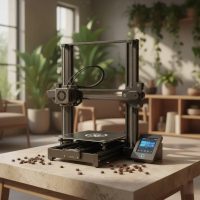
Stepping into the world of 3D printing for miniatures is like unlocking a secret workshop of endless creative possibilities. Whether you’re a seasoned wargamer, a tabletop RPG enthusiast, or simply someone who loves collecting highly detailed models, the ability to bring your tiny worlds to life with a 3D printer for miniatures is nothing short of magical. Forget generic off-the-shelf figures; now you can craft custom armies, unique characters, and intricate terrain pieces that truly reflect your vision.
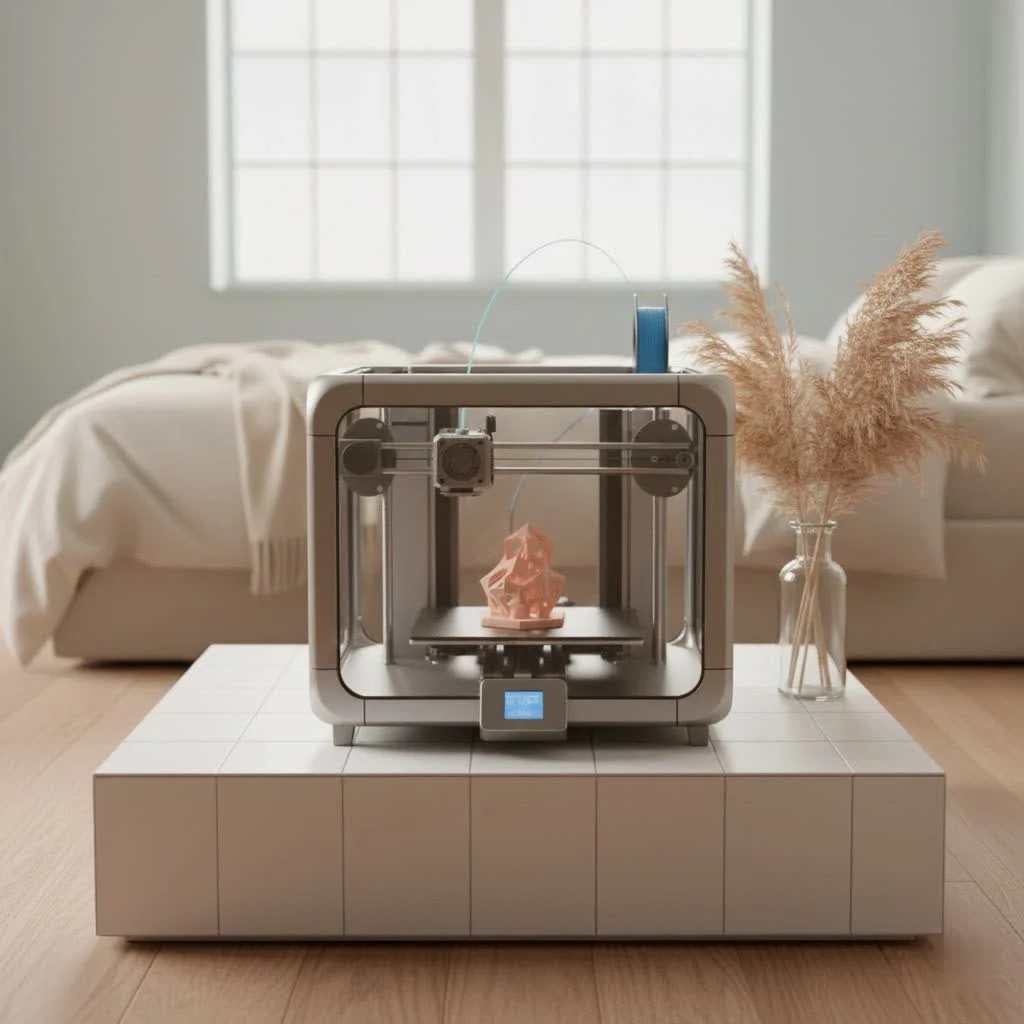
At WMTSV, we’ve spent over 15 years immersed in the evolving landscape of 3D printing, and we’re here to guide you through the exciting journey of selecting the perfect machine and mastering the art of miniature fabrication. We understand the nuances that transform a mere model into a masterpiece, and we’re committed to helping you navigate the technical complexities with ease, ensuring your printing experience is as rewarding as the final product.
The Great Debate: Resin vs. FDM for Miniature Printing
When you’re looking for a 3D printer for miniatures, the first and most crucial decision you’ll face is choosing between a resin (SLA/DLP/MSLA) printer and an FDM (Fused Deposition Modeling) printer. Each technology has its strengths, and understanding them is key to making the right investment.
Resin 3D Printers: The Champion of Detail
For anyone serious about producing highly detailed miniatures, resin 3D printers are the undisputed champions. These machines work by using a UV light source to cure liquid photosensitive resin, layer by layer, in a process that offers astonishing precision.
Pros:
- Unmatched Detail and Smoothness: Resin printers can capture details down to a few microns, yielding incredibly smooth surfaces, sharp edges, and intricate textures – perfect for facial expressions, delicate weaponry, or fine chainmail.
- High Resolution: Modern resin printers often feature 8K, 12K, or even 14K monochrome LCD screens, translating to superior XY resolutions (e.g., around 19 microns for a 12K printer). A lower micron value signifies finer detail.
- Faster for Batch Printing: Unlike FDM, resin printers cure an entire layer at once. This means printing 20 miniatures takes roughly the same time per layer as printing just one, making them incredibly efficient for armies or large batches.
- Professional Finish: The output from resin printers often has a polished, high-quality look, which is why they are favored by professional model makers and even dental laboratories for precise guides.
Cons:
- Higher Initial Cost and Material Expense: Resin printers typically have a higher upfront cost, and the liquid resins themselves are more expensive than FDM filaments.
- Complex Post-Processing: Resin prints require a multi-step post-processing routine, including washing with isopropyl alcohol to remove uncured resin and then curing under UV light to fully harden the model. This process can be messy and time-consuming.
- Safety Precautions: Working with liquid resin involves chemicals and fumes, necessitating proper ventilation, gloves, and eye protection.
- Smaller Build Volume: Most resin printers have smaller build volumes compared to FDM counterparts, which can be a limitation if you plan to print very large models.
FDM 3D Printers: Versatility and Scale
|
Our Picks for the Best 3D Printer in 2026
As an Amazon Associate I earn from qualifying purchases.
|
||
| Num | Product | Action |
|---|---|---|
| 1 | FLASHFORGE AD5X Multi-Color 3D Printer, CoreXY 600mm/s High-Speed, 1-Click Auto Leveling, 300°C Direct Drive Extruder, 220x220x220mm Build Volume, Ideal for Precision and Efficiency |

|
| 2 | Anycubic Multicolor 3D Printer, Kobra S1 Combo Core XY Stable Structure with Sealed Printing High Precision 600mm/s Fast Speed Auto Calibration Ideal for Precision and Efficiency 9.8\"x9.8\"x9.8\" |
|
| 3 | FLASHFORGE AD5X Multi-Color 3D Printer 4 Colors with IFS, Fully Auto Leveling FDM 3D Printer with Max 600mm/s High Speed Printing and Max 300°C Nozzle, Large Printing Size 220 * 220 * 220mm |
|
| 4 | FLASHFORGE AD5M 3D Printer Fully Auto Calibration Print with 1-Click Max 600mm/s Speed, All-Metal CoreXY Structure Precise Printing, Easy-Maintenance Quick-Swap Nozzle, Print Size 220x220x220mm |
|
| 5 | FLASHFORGE AD5X Multi-Color 3D Printer with IFS, 600mm/s High Speed, 300°C High Temp Direct Extruder, Fully Auto Leveling, All Metal CoreXY,4-Color Printing for PLA-CF,PETG-CF, 220x220x220mm |
|
| 6 | FLASHFORGE Adventurer 5M Pro 3D Printer with 1 Click Auto Printing System, 600mm/s High-Speed, Quick Detachable 280°C Nozzle, Core XY All-Metal Structure, Multi-Functional 220x220x220mm 3D Printer |
|
| 7 | FLASHFORGE AD5M Pro 3D Printer 600mm/s High Speed & Precision, Full-Auto Calibration with 0.4&0.6mm Nozzle Bundle, CoreXY Structure & Auxiliary Chamber Cooling, ≤50 dB Quite Printing Camera Printers |
|
| 8 | Creality K2 SE Combo 3D Printer, Support Multicolor Printing with CFS, 500mm/s High-Speed, Smart Auto Leveling, Solid Metal Build Frame, Fully Assembled, Next-Gen Extruder, 220×215×245 mm Build Volume |
|
| 9 | Creality Ender 3 V3 SE 3D Printer, 250mm/s Faster Print Speed CR Touch Auto Leveling Sprite Direct Extruder Dual Z-Axis Auto Filament Loading Ender 3 Upgrade 3D Printer Print Size 8.66x8.66x9.84 inch |
|
| 10 | FLASHFORGE Adventurer 5M 3D Printer with Fully Auto Leveling, Max 600mm/s High Speed Printing, 280°C Direct Extruder with 3S Detachable Nozzle, CoreXY All Metal Structure, Print Size 220x220x220mm |
|
FDM printers, which melt and extrude plastic filament layer by layer, are a more common and often more accessible entry point into 3D printing. While they can print miniatures, their strengths lie elsewhere.
Pros:
- More Affordable: FDM printers are generally less expensive to purchase and operate, making them budget-friendly.
- Larger Build Volumes: These printers typically offer more generous build areas, ideal for printing larger terrain pieces, vehicle models, or architectural elements that complement your miniatures.
- User-Friendly & Less Post-Processing: FDM printing is generally considered easier to get started with, and post-processing often involves simply removing supports and light sanding.
- Safer: FDM printing doesn’t involve hazardous liquid resins or strong UV light, making the overall process safer and cleaner.
Cons:
- Detail Limitations & Visible Layer Lines: FDM printers struggle to achieve the same fine detail as resin printers. You’ll often see visible layer lines, especially on curved surfaces, which can detract from the aesthetic of small miniatures.
- Slower for Intricate Small Objects: While FDM can be fast for larger, simpler objects, the layer-by-layer deposition of filament can make printing complex small models a lengthier process.
- Lower Resolution: FDM layer heights usually range from 50-200 microns, significantly higher than resin printers’ capabilities, resulting in less definition.
WMTSV’s Take: Choose Your Weapon Wisely
For dedicated miniature enthusiasts, the superior detail and smooth finish of a resin 3D printer make it the clear choice for bringing your characters and creatures to life. FDM printers, on the other hand, truly shine when it comes to printing larger, more robust items like terrain, buildings, and vehicle chassis where ultra-fine detail isn’t the primary concern. Many hobbyists find value in owning both types of printers to cover all their creative needs.
Key Features to Look for in a Miniature 3D Printer
Once you’ve decided on a resin printer (which we highly recommend for miniatures), you’ll encounter a dizzying array of models. Here’s what truly matters when evaluating a 3D printer for miniatures:
Resolution is King
This is arguably the most critical factor for miniature printing. You’ll hear terms like “XY resolution” and “K-resolution.”
- XY Resolution (Pixel Size): Measured in microns (µm), this indicates the smallest detail your printer can reproduce on the X and Y axes. A lower micron value means sharper details. For instance, 12K printers offer around 19 microns, while 8K printers are about 28 microns. In 2025, anything less than 8K resolution might visibly compromise the crispness of your miniatures.
- Z Resolution (Layer Height): This refers to the thickness of each printed layer. For exceptionally smooth surfaces, aim for printers capable of 20-50 microns, with some advanced models reaching as low as 10 microns.
- K-Resolution (e.g., 12K, 14K): This refers to the total pixel count of the LCD screen. More pixels within the build area directly translate to finer detail across your print.
Build Volume: Size Matters (Sometimes)
Consider the scale of your projects. If you’re printing individual hero figures, a smaller build volume is perfectly adequate and often comes with a lower price tag. However, if you’re planning to print entire armies or larger monsters, a printer with a generous build volume, like the Anycubic M3 Max or Elegoo Saturn series, will save you significant time.
Print Speed & Efficiency
Modern resin printers have made incredible strides in speed, primarily due to monochrome LCD screens. These screens allow more UV light to pass through, drastically reducing layer cure times from 5-10 seconds to a mere 1-2 seconds. This improvement can cut a 10-hour print job down to 3-4 hours – a huge advantage for hobbyists and professionals alike.
Ease of Use & Software
Especially for beginners, an intuitive user interface and reliable slicing software are invaluable. Features like Wi-Fi connectivity for easy file transfer, pre-supported settings, and auto-leveling capabilities can make your journey into miniature printing much smoother. While professionals might seek advanced customization, ease of use reduces the learning curve significantly.
Reliability & Stability
A durable printer with robust components is crucial for consistent, high-quality prints. Weak or unstable parts can lead to vibrations, causing layer shifting or loss of detail. Printers with metal frames and quality linear rails offer superior stability, ensuring your intricate miniatures come out perfectly.
Essential Accessories and Safety for Resin Printing
As an expert at WMTSV, I can’t stress enough the importance of safety and a proper workflow when dealing with resin 3D printing. Liquid resins are chemicals, and handling them incorrectly can pose health risks.
- Wash & Cure Stations: These all-in-one units simplify the post-processing steps. They effectively clean uncured resin off your prints using isopropyl alcohol (IPA) and then uniformly cure them with UV light, hardening the models and removing stickiness.
- Ventilation & Enclosures with Carbon Filters: Resin fumes can be strong. Always print in a well-ventilated area. An enclosure with an integrated carbon filter helps contain and neutralize these fumes, making your workspace safer and more pleasant.
- Personal Protective Equipment (PPE): This is non-negotiable. Always wear nitrile gloves to protect your skin from resin, and a respirator mask to avoid inhaling fumes. Eye protection is also highly recommended to prevent accidental splashes.
- Safe Handling of Resin and IPA: Store resin in its original opaque container, away from direct sunlight. Handle IPA with care in a well-ventilated area, and ensure proper disposal of used resin and contaminated IPA according to local regulations.
Optimizing Your Prints: Advanced Tips and Slicer Settings
Getting breathtaking detail from your 3D printer for miniatures often comes down to fine-tuning your slicer settings and adopting best practices.
- Layer Height: The Thinner, The Better: For miniatures, a smaller layer height (e.g., 10-15 microns for resin, or 0.1-0.15 mm for FDM with a 0.2mm nozzle) is essential for capturing intricate details and achieving a smooth finish. Be aware that this will increase print time.
- Supports: A Necessary Evil: Miniatures almost always require supports, especially for overhangs, delicate protruding features like swords or wings, and tiny “islands” that would otherwise fail. Strategic placement and varying tip sizes (e.g., 0.5-0.6 mm for anchoring, 0.25-0.3 mm for larger areas, 0.15-0.2 mm for small details) are crucial to minimize damage during removal.
- Print Speed: Precision Over Pace: While monochrome screens boost resin printing speed, for FDM, slowing down (around 20-40mm/s) significantly improves quality and reduces errors, particularly for fine details. Always slow down the first layer to ensure strong bed adhesion – it’s the foundation of a successful print.
- Infill Patterns: Strength Without Waste: For most miniatures, an infill percentage of around 20% with patterns like lightning or zig-zag offers a good balance of structural integrity without excessive material usage or increased print time.
- Hollowing (for Resin Prints): Hollowing out your models can save on resin and reduce print weight. Aim for wall thicknesses of 2-3 mm. Critically, ensure there are no “resin traps” – isolated hollow areas that can trap uncured resin, leading to potential leaks or internal failures later.
- Temperature Control: A Stable Environment: For resin printing, maintaining a consistent room temperature of at least 23°C (73°F) is vital. Cooler temperatures can increase the viscosity of the resin and significantly raise the risk of print failures.
- Calibration: Your Printer’s Wellness Check: Regularly calibrate your printer. This includes bed leveling, checking belt tension (for FDM), and ensuring your extruder or resin vat is clean and free of debris. A well-maintained machine is your best friend for flawless miniatures.
Top 3D Printers for Miniatures in 2025
The 3D printing market for miniatures is constantly evolving, but some models consistently stand out for their performance and value in 2025:
- Best Overall/High Resolution: The Creality HALOT-MAGE S 14K and Formlabs Form 4 are often cited for their exceptional print quality and intricate detail, making them ideal for professionals or enthusiasts seeking the absolute best.
- Best for Beginners: The Elegoo Mars 3 Pro and Anycubic Photon Mono 2 are fantastic entry points, offering a balance of affordability, ease of use, and good print quality for your first miniatures. The Bambu Lab A1 Mini is another strong contender for beginners, praised for its compact size, speed, and user-friendliness right out of the box.
- Best Budget Option: The Elegoo Saturn and Anycubic Photon M3 provide excellent value, delivering crisp details without breaking the bank.
- Best for High-Volume Printing: If you’re building an entire army, the Anycubic Photon Mono M7 Pro or Elegoo Saturn 4 Ultra offer large build volumes and impressive speeds, allowing you to print numerous miniatures simultaneously.
Frequently Asked Questions (FAQ)
What is the best type of 3D printer for miniatures?
For optimal detail and smooth finishes on miniatures, a resin 3D printer (SLA, DLP, or MSLA) is generally considered the best choice. FDM printers are better suited for larger terrain or less detailed models.
How important is resolution for miniature 3D printing?
Resolution is extremely important for miniatures. A higher XY resolution (lower micron value) and thinner layer heights result in much finer details and smoother surfaces, making your miniatures look professional and lifelike.
Do I need special resin for miniatures?
While standard resins work, many manufacturers offer specific “model” or “ABS-like” resins that provide enhanced detail, flexibility, or durability, which can be beneficial for delicate miniature parts.
What are the essential safety precautions for resin printing?
Always work in a well-ventilated area, wear nitrile gloves, a respirator mask, and eye protection. Use a wash and cure station for post-processing and ensure proper disposal of resin and IPA.
Can FDM printers print good miniatures?
FDM printers can print miniatures, especially with optimized settings like smaller nozzles and thinner layer heights. However, they typically cannot match the fine detail and smooth finish that resin printers achieve, making them more suitable for terrain or larger, less intricate models.
Conclusion
Embarking on the journey of 3D printing miniatures is an exciting venture that promises to transform your hobby. By choosing the right 3D printer for miniatures, understanding the nuances of resin versus FDM technology, and diligently applying optimized print settings and safety protocols, you’re well on your way to creating stunning, personalized models. The creative freedom that a high-quality 3D printer for miniatures offers is truly unparalleled, allowing you to bring your imaginative worlds to vibrant life, one meticulously crafted figure at a time. So, dive in, experiment, and let the incredible detail of your 3D printed miniatures speak for themselves!
Get our weekly buyer guide
Practical specs, not advice. Unsubscribe anytime.