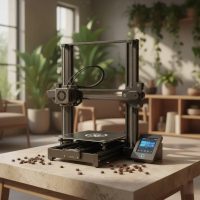
Remember when 3D printing felt like something out of a sci-fi movie, reserved only for giant factories and high-tech labs? Well, those days are long gone! Today, the desktop 3D printer has revolutionized the way we create, innovate, and even fix things right from our homes and offices. It’s no longer a niche hobby for the ultra-technical; it’s a powerful, accessible tool that’s transforming personal fabrication, one layer at a time.
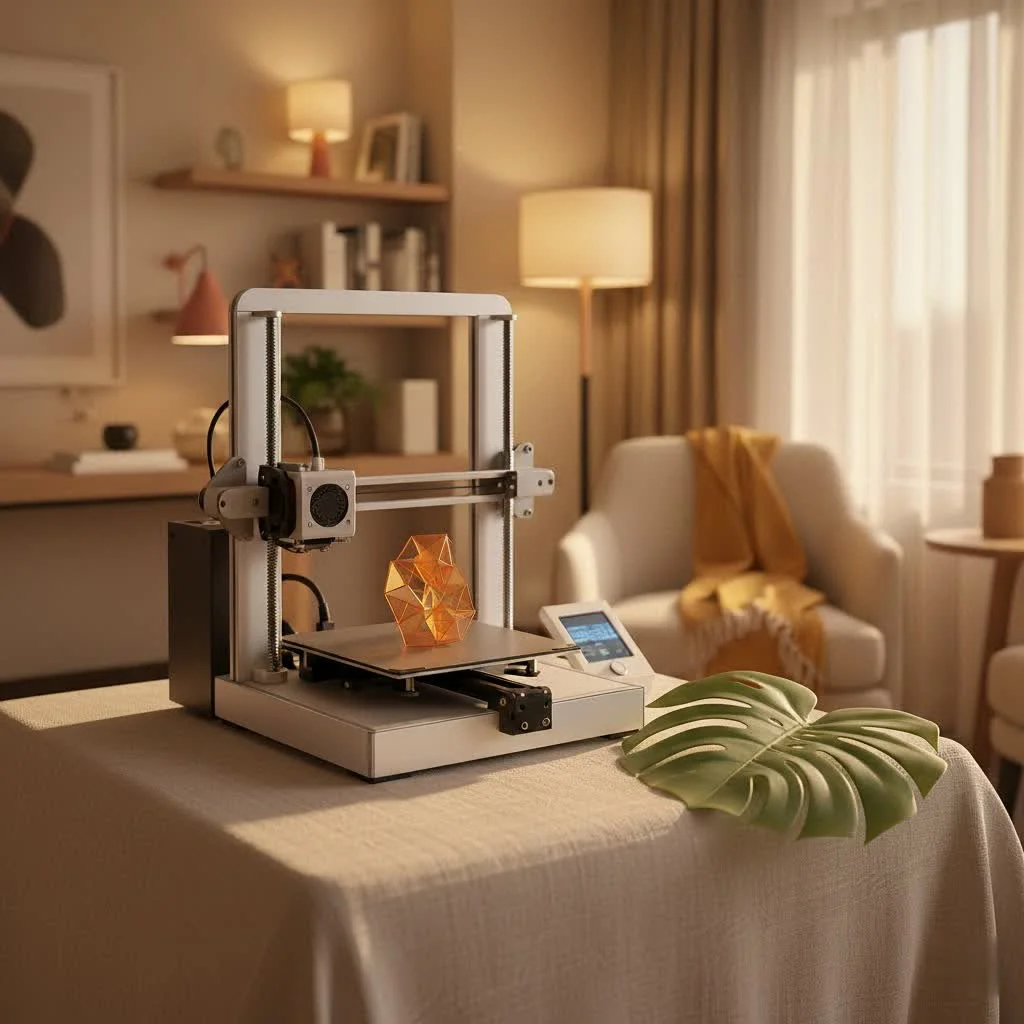
As a veteran in the 3D printing world with over 15 years under my belt, I’ve witnessed this incredible evolution firsthand. The advancements have been staggering, turning what was once a complex, tinkering-heavy endeavor into a remarkably user-friendly experience. If you’ve been on the fence about diving into 3D printing, now is truly the best time.
What Exactly is a Desktop 3D Printer?
At its heart, a desktop 3D printer is a machine designed to create three-dimensional objects from digital models, typically compact enough to fit comfortably on your desk or workbench. Unlike traditional manufacturing, which often removes material to shape an object, 3D printing (or additive manufacturing) builds objects layer by painstaking layer. This digital-to-physical magic allows for intricate designs and customized parts that were once impossible or prohibitively expensive to produce.
The journey of the desktop 3D printer has been one of constant innovation. Early models were indeed clunky and demanded significant expertise to operate reliably. Fast forward to today, and we have sophisticated yet remarkably intuitive machines that boast features like automatic bed leveling, Wi-Fi connectivity, and even AI assistance to prevent print failures. This shift has democratized creation, empowering everyone from hobbyists and educators to small business owners to bring their ideas to life.
The Core Technologies Driving Desktop 3D Printing
When you look into the world of desktop 3D printers, you’ll primarily encounter two dominant technologies: Fused Deposition Modeling (FDM) and Stereolithography (SLA), often seen as MSLA (Masked Stereolithography) in the desktop resin printer space. Each offers a unique set of advantages and is suited for different applications.
FDM (Fused Deposition Modeling): The Filament Fanatic
FDM printers are perhaps the most common and recognizable type of desktop 3D printer. They work by extruding a thermoplastic filament, like a hot glue gun, through a heated nozzle onto a build plate. The material cools and solidifies, forming a layer, and the process repeats until the object is complete.
- How it Works: Imagine drawing lines on a piece of paper, then stacking thousands of those papers to form a 3D shape. That’s essentially FDM in action.
- Pros: FDM desktop 3D printers are typically more affordable, easier for beginners to pick up, and generally safer for home environments, especially with children or pets around. They offer a vast array of material choices, including popular options like PLA (Polylactic Acid), PETG (Polyethylene Terephthalate Glycol), ABS (Acrylonitrile Butadiene Styrene), and flexible TPU (Thermoplastic Polyurethane). FDM printers also tend to have larger build volumes, allowing you to print bigger objects, or many smaller ones, in a single run.
- Cons: One of the main drawbacks of FDM prints can be the visible layer lines, which might require post-processing like sanding for a perfectly smooth finish. Some materials, like ABS, can also be prone to warping without a temperature-controlled enclosure, which we’ll discuss shortly.
SLA (Stereolithography) & MSLA: The Detail Dreamers
SLA and its more common desktop variant, MSLA (often just referred to as resin printing), operate on a completely different principle. Instead of melting plastic, these desktop 3D printers use a UV light source (a laser for SLA, an LCD screen for MSLA) to cure liquid photopolymer resin, solidifying it layer by layer.
- How it Works: A build plate descends into a vat of liquid resin. The UV light selectively cures a thin layer of resin, solidifying it. The plate then lifts slightly, allowing fresh resin to flow underneath, and the next layer is cured.
- Pros: If you crave intricate details, incredibly smooth surface finishes, and high resolution, resin desktop 3D printers are your go-to. They excel at producing small, highly detailed parts perfect for miniatures, jewelry, dental models, or prototypes where aesthetics are paramount.
- Cons: The materials (resins) are generally more expensive and require careful handling due to their chemical nature, necessitating gloves and good ventilation. Post-processing involves washing the printed object in alcohol and then curing it further with UV light, often requiring additional dedicated equipment. Build volumes on resin printers are also typically smaller than their FDM counterparts.
Key Features to Look for in Your Desktop 3D Printer
|
Our Picks for the Best 3D Printer in 2026
As an Amazon Associate I earn from qualifying purchases.
|
||
| Num | Product | Action |
|---|---|---|
| 1 | FLASHFORGE Adventurer 5M 3D Printer with Fully Auto Leveling, Max 600mm/s High Speed Printing, 280°C Direct Extruder with 3S Detachable Nozzle, CoreXY All Metal Structure, Print Size 220x220x220mm |

|
| 2 | FLASHFORGE AD5M 3D Printer Fully Auto Calibration Print with 1-Click Max 600mm/s Speed, All-Metal CoreXY Structure Precise Printing, Easy-Maintenance Quick-Swap Nozzle, Print Size 220x220x220mm |
|
| 3 | Creality K2 SE Combo 3D Printer, Support Multicolor Printing with CFS, 500mm/s High-Speed, Smart Auto Leveling, Solid Metal Build Frame, Fully Assembled, Next-Gen Extruder, 220×215×245 mm Build Volume |
|
| 4 | FLASHFORGE Adventurer 5M Pro 3D Printer with 1 Click Auto Printing System, 600mm/s High-Speed, Quick Detachable 280°C Nozzle, Core XY All-Metal Structure, Multi-Functional 220x220x220mm 3D Printer |
|
| 5 | FLASHFORGE AD5X Multi-Color 3D Printer, CoreXY 600mm/s High-Speed, 1-Click Auto Leveling, 300°C Direct Drive Extruder, 220x220x220mm Build Volume, Ideal for Precision and Efficiency |
|
| 6 | FLASHFORGE AD5X Multi-Color 3D Printer 4 Colors with IFS, Fully Auto Leveling FDM 3D Printer with Max 600mm/s High Speed Printing and Max 300°C Nozzle, Large Printing Size 220 * 220 * 220mm |
|
| 7 | Creality Ender 3 V3 SE 3D Printer, 250mm/s Faster Print Speed CR Touch Auto Leveling Sprite Direct Extruder Dual Z-Axis Auto Filament Loading Ender 3 Upgrade 3D Printer Print Size 8.66x8.66x9.84 inch |
|
| 8 | Anycubic Multicolor 3D Printer, Kobra S1 Combo Core XY Stable Structure with Sealed Printing High Precision 600mm/s Fast Speed Auto Calibration Ideal for Precision and Efficiency 9.8\"x9.8\"x9.8\" |
|
| 9 | FLASHFORGE AD5M Pro 3D Printer 600mm/s High Speed & Precision, Full-Auto Calibration with 0.4&0.6mm Nozzle Bundle, CoreXY Structure & Auxiliary Chamber Cooling, ≤50 dB Quite Printing Camera Printers |
|
| 10 | FLASHFORGE AD5X Multi-Color 3D Printer with IFS, 600mm/s High Speed, 300°C High Temp Direct Extruder, Fully Auto Leveling, All Metal CoreXY,4-Color Printing for PLA-CF,PETG-CF, 220x220x220mm |
|
Choosing the right desktop 3D printer can feel overwhelming with so many options out there. Here’s a breakdown of crucial features that make a real difference in your printing experience:
- Automatic Bed Leveling: This is a true game-changer. Unless the print surface is perfectly level, your prints won’t stick, leading to frustrating failures. Modern desktop 3D printers with fully automatic bed leveling take this chore off your plate, ensuring consistent first layers and a much higher success rate. Even budget-friendly printers now offer this essential feature.
- Heated Build Plate & Flexible PEI Sheets: A heated bed is a must-have for proper print adhesion, especially with certain filaments. Pairing it with a flexible PEI (Polyetherimide) spring steel sheet is a stroke of genius. Once your print is finished and cooled, you simply flex the sheet, and the object pops right off, no scraping or prying needed!
- Build Volume: This refers to the maximum size of an object your printer can create. Consider what you plan to print. While a larger build volume means a bigger physical footprint for your desktop 3D printer, remember you can often print large models in sections and assemble them later. Build volumes typically range from small (under 100mm³) to average (150-220mm³) to large format (250mm³ and above).
- Enclosures & Material Compatibility: For printing with advanced materials like ABS, ASA, polycarbonate, or nylon, an enclosed build chamber is crucial. These filaments require a stable, warm ambient temperature to prevent warping and ensure optimal print quality. If you only plan to print with PLA or PETG, an enclosure might not be strictly necessary, but it does offer benefits like noise reduction and protection from dust. Additionally, check the maximum nozzle and bed temperatures. While PLA needs about 220°C for the nozzle, ABS and Nylon require 240-250°C and a bed temperature of 100°C or more.
- Print Speed & Quality: Modern desktop 3D printers are getting incredibly fast. Core XY systems, for example, are known for their rapid movements and impressive speeds, often exceeding 300mm/s. However, speed shouldn’t come at the expense of quality. Look for printers that balance both, often achieved through features like input shaping to reduce vibrations.
- User Interface & Connectivity: A color touchscreen interface makes navigating settings and monitoring prints significantly easier than older monochrome screens with rotary dials. Wi-Fi connectivity and accompanying mobile apps allow you to send files, monitor prints remotely, and even control your desktop 3D printer from your phone, enhancing convenience.
- Filament Run-out Sensors & Power Loss Recovery: These “smart” features are invaluable. A run-out sensor detects when your filament spool is empty and pauses the print, allowing you to load a new one and resume seamlessly. Power loss recovery ensures that if your power cuts out mid-print, your desktop 3D printer can pick up exactly where it left off, saving countless hours and wasted material.
- Multi-Color Printing: If you dream of vibrant, multi-colored creations, look for systems with an Automatic Material System (AMS) or tool changers. These innovations allow your desktop 3D printer to automatically swap between different colored filaments, opening up a new world of creative possibilities. While multi-color prints can take longer and produce some filament waste, the results are truly stunning.
Bringing 3D Printing Home: Applications for Everyday Makers & Small Businesses
The versatility of the desktop 3D printer means its applications are incredibly broad, catering to both personal passions and professional endeavors.
For the Home & Hobbyist
At home, your desktop 3D printer becomes an extension of your imagination and a highly practical tool. Need a custom organizer for your messy desk drawer? Print it. Want a unique, personalized gift? Design and print it. From creating custom board game pieces, practical hooks and holders, and decorative items to prototyping intricate cosplay armor or even printing replacement parts for broken appliances, the possibilities are endless. It’s an empowering tool that lets you move beyond simply buying and into truly making.
For the Small Office & Entrepreneur
For small businesses and entrepreneurs, a desktop 3D printer can be a significant competitive advantage. It facilitates rapid prototyping, allowing you to quickly iterate designs and test concepts without the high costs and long lead times of traditional manufacturing. You can produce custom tools and jigs for your workflow, create marketing samples, or even engage in low-volume, customized product manufacturing, responding agilely to market demands. In education, these machines provide invaluable hands-on learning experiences, bringing STEM concepts to life.
Setting Up Your Desktop 3D Printer for Success
Integrating a desktop 3D printer into your workspace requires a bit of planning to ensure optimal performance and safety.
- Workspace Considerations: Designate a specific, stable area for your printer. Good ventilation is key, especially if you’re working with certain filaments or resins. Keep it away from direct sunlight, which can negatively affect some materials. Using shelves or stands can help keep your materials and tools organized and easily accessible. A dust cover or enclosure is also a smart investment to protect your machine when not in use.
- Basic Maintenance Tips: Regular maintenance is crucial for longevity and consistent print quality. This includes cleaning your print bed after each print, inspecting the extruder for wear, lubricating moving parts as recommended by the manufacturer, and keeping your software and firmware updated. Proactive care will save you a lot of headaches down the line.
Choosing Your First Desktop 3D Printer: A Personal Journey
Deciding on your first desktop 3D printer is an exciting step! It largely comes down to balancing your budget with your specific needs and intended applications. If you’re a complete beginner looking for an easy, affordable entry point, an FDM printer like the Bambu Lab A1 Mini or Creality Ender 3 V3 SE offers excellent features for their price, with user-friendly interfaces and automatic functionalities. These are perfect for learning the ropes and printing practical items or fun gadgets around the house.
For those with a bit more experience or a desire for high-resolution models, a resin printer like the Elegoo Mars 5 Ultra delivers incredible detail, ideal for miniatures and artistic endeavors. If speed and multi-material capabilities are paramount for more complex projects or small business needs, stepping up to a Bambu Lab P2S or similar advanced FDM system might be the right call.
As industry expert Dr. Anya Sharma of Innovate 3D puts it, “The beauty of today’s desktop 3D printers lies in their diversity. There’s a perfect machine out there for every creator, whether you’re building your child’s next favorite toy or prototyping a revolutionary new product. The key is understanding your ambitions and choosing the technology that best supports your creative flow.”
The Future is Now: What’s Next for Desktop 3D Printing?
The desktop 3D printing landscape is continuously evolving. We’re seeing more integration of AI to simplify operations, predict failures, and even optimize designs automatically. The “ready-to-use” philosophy, where printers work flawlessly right out of the box, is becoming the standard. Multi-material and multi-color capabilities are becoming more sophisticated and accessible, pushing the boundaries of what home and small office users can achieve. The future promises even smarter, faster, and more versatile desktop 3D printers, further blurring the lines between amateur and professional fabrication.
Frequently Asked Questions (FAQ)
How much does a good desktop 3D printer cost?
The cost of a desktop 3D printer varies widely. Entry-level models with good features can start from as little as $150-$250, while mid-range printers with advanced features like multi-color capabilities or faster speeds often fall into the $400-$800 range. Professional-grade desktop systems can go upwards of $1,000 to $2,000 or more.
Are desktop 3D printers hard to use?
Not anymore! Modern desktop 3D printers have become significantly more user-friendly. Features like automatic bed leveling, easy filament loading, and intuitive touchscreen interfaces make them accessible even for complete beginners. While designing your own complex models still requires learning 3D modeling software, there are thousands of free, ready-to-print models available online.
What materials can I print with a desktop 3D printer?
For FDM printers, common materials include PLA (Polylactic Acid), PETG (Polyethylene Terephthalate Glycol), ABS (Acrylonitrile Butadiene Styrene), and flexible TPU (Thermoplastic Polyurethane), along with specialty composites. Resin (SLA/MSLA) printers use photopolymer resins designed for various properties, such as high detail, flexibility, or durability, though choices are fewer than FDM.
Can I print multiple colors at once with a desktop 3D printer?
Yes, many modern FDM desktop 3D printers offer multi-color capabilities. This is often achieved through an Automatic Material System (AMS) which feeds multiple spools of filament into a single nozzle, or through advanced tool changer systems that swap between dedicated print heads for each color. While it can add complexity and print time, it opens up immense creative possibilities.
Is it expensive to run a desktop 3D printer?
The operational cost of a desktop 3D printer is generally quite reasonable. A 1kg spool of filament typically costs between $15 and $30. The actual cost per print depends on the size and infill density of your object. While sometimes it might be cheaper to buy a pre-made plastic item, 3D printing offers the immense value of customization, rapid prototyping, and the ability to produce unique parts on demand.
Conclusion
The desktop 3D printer is more than just a piece of technology; it’s a tool for empowerment, innovation, and boundless creativity. From simplifying everyday life with custom household items to enabling aspiring entrepreneurs to prototype their next big idea, the impact of personal fabrication is profound. So, whether you’re a seasoned maker or just curious about dipping your toes into the additive manufacturing waters, I encourage you to explore the incredible world of desktop 3D printers. The revolution is on your desk—it’s time to create!
Get our weekly buyer guide
Practical specs, not advice. Unsubscribe anytime.