Diving into the world of 3D printing is an exciting venture, promising endless possibilities from crafting bespoke prototypes to producing intricate functional parts. But before you embark on this journey, a crucial question often arises: “What is the true 3D printer cost?” It’s a question far more complex than a single price tag might suggest. While some entry-level models are incredibly affordable, a comprehensive understanding of 3D printer cost involves looking beyond the initial purchase to encompass materials, maintenance, software, and even the electricity powering your creations.
As a veteran in the 3D printing industry with over 15 years of hands-on experience, and as a content creator for wmtsv.com, I’ve seen the technology evolve dramatically. The good news is that 3D printing has become more accessible than ever, with prices continually dropping. However, to truly master the art of 3D printing efficiently and safely, you need to grasp the entire financial landscape. Let’s break down the various aspects that contribute to the overall investment in 3D printing, ensuring you make an informed decision that aligns with your specific needs and budget.
The Initial Investment: How Much Does a 3D Printer Actually Cost?
The price of a 3D printer can vary dramatically, spanning from a few hundred dollars to well over a million, largely depending on its intended use and the underlying technology. Understanding these categories is the first step in budgeting for your 3D printing journey.
Entry-Level & Hobbyist 3D Printers: Your First Step into 3D Printing
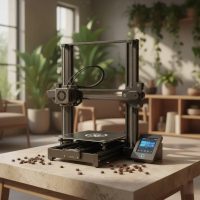
For those just starting out or looking to explore 3D printing as a hobby, entry-level Fused Deposition Modeling (FDM) printers are incredibly popular and accessible. These machines typically retail anywhere from $150 to $3,000 USD. They are primarily FFF (or FDM) machines and are perfect for learning the ropes, printing toys, or creating personal items.
What can you expect at this price point? Most designs are built around affordable hardware and open-source software. This often means some assembly is required, customer support might be minimal, and you’ll need to dedicate time to tuning, troubleshooting, and maintenance. Material choices are usually limited to low-temperature plastics like PLA, PETG, and ABS. Despite these hands-on requirements, they offer an unparalleled gateway into the technology.
Professional & Desktop 3D Printers: Stepping Up Your Game
If you’re a small business, an educator, or a more serious hobbyist seeking improved reliability, accuracy, and a wider range of functional materials, professional desktop 3D printers are your next tier. These machines generally fall into the $2,000 to $15,000 USD range. You’ll find both FDM and Stereolithography (SLA) machines in this category.
Professional FDM printers often start around $2,000, with larger-format models beginning at $4,000. SLA printers, known for their smoother finishes and finer details, typically range from $2,500 to $10,000, with large-format resin printers extending to $25,000. These printers usually offer a more robust build, a more turnkey user experience, larger build volumes, and dedicated customer support. They’re utilized by companies requiring improved machine reliability, higher accuracy, and stronger functional materials.
Industrial & High-Performance 3D Printers: For Serious Production
|
Our Picks for the Best 3D Printer in 2026
As an Amazon Associate I earn from qualifying purchases.
|
||
| Num | Product | Action |
|---|---|---|
| 1 | Creality Ender 3 V3 SE 3D Printer, 250mm/s Faster Print Speed CR Touch Auto Leveling Sprite Direct Extruder Dual Z-Axis Auto Filament Loading Ender 3 Upgrade 3D Printer Print Size 8.66x8.66x9.84 inch |

|
| 2 | Anycubic Multicolor 3D Printer, Kobra S1 Combo Core XY Stable Structure with Sealed Printing High Precision 600mm/s Fast Speed Auto Calibration Ideal for Precision and Efficiency 9.8\"x9.8\"x9.8\" |
|
| 3 | FLASHFORGE AD5X Multi-Color 3D Printer, CoreXY 600mm/s High-Speed, 1-Click Auto Leveling, 300°C Direct Drive Extruder, 220x220x220mm Build Volume, Ideal for Precision and Efficiency |
|
| 4 | FLASHFORGE AD5M 3D Printer Fully Auto Calibration Print with 1-Click Max 600mm/s Speed, All-Metal CoreXY Structure Precise Printing, Easy-Maintenance Quick-Swap Nozzle, Print Size 220x220x220mm |
|
| 5 | FLASHFORGE Adventurer 5M 3D Printer with Fully Auto Leveling, Max 600mm/s High Speed Printing, 280°C Direct Extruder with 3S Detachable Nozzle, CoreXY All Metal Structure, Print Size 220x220x220mm |
|
| 6 | Creality K2 SE Combo 3D Printer, Support Multicolor Printing with CFS, 500mm/s High-Speed, Smart Auto Leveling, Solid Metal Build Frame, Fully Assembled, Next-Gen Extruder, 220×215×245 mm Build Volume |
|
| 7 | FLASHFORGE AD5X Multi-Color 3D Printer 4 Colors with IFS, Fully Auto Leveling FDM 3D Printer with Max 600mm/s High Speed Printing and Max 300°C Nozzle, Large Printing Size 220 * 220 * 220mm |
|
| 8 | FLASHFORGE Adventurer 5M Pro 3D Printer with 1 Click Auto Printing System, 600mm/s High-Speed, Quick Detachable 280°C Nozzle, Core XY All-Metal Structure, Multi-Functional 220x220x220mm 3D Printer |
|
| 9 | FLASHFORGE AD5M Pro 3D Printer 600mm/s High Speed & Precision, Full-Auto Calibration with 0.4&0.6mm Nozzle Bundle, CoreXY Structure & Auxiliary Chamber Cooling, ≤50 dB Quite Printing Camera Printers |
|
| 10 | FLASHFORGE AD5X Multi-Color 3D Printer with IFS, 600mm/s High Speed, 300°C High Temp Direct Extruder, Fully Auto Leveling, All Metal CoreXY,4-Color Printing for PLA-CF,PETG-CF, 220x220x220mm |
|
At the pinnacle of 3D printing technology are industrial-grade machines, designed for large-scale production, advanced prototyping, and high-precision manufacturing. These powerhouses can cost anywhere from $15,000 to well over $1,000,000 USD. Technologies like Selective Laser Sintering (SLS), Direct Metal Laser Sintering (DMLS), Selective Laser Melting (SLM), and Laser Powder Bed Fusion (LPBF) dominate this segment.
Industrial printers offer the highest quality parts with superior accuracy, reliability, and speed. They come with the widest range of material compatibility, including high-performance polymers and metals, relying on precision hardware and sensors for consistent prints. For instance, DMLS/SLM solutions typically start around $200,000, and LPBF printers can even reach €0.5-1.5 million (approximately $0.55-1.65 million USD), making them a significant investment often requiring stringent facility requirements.
Beyond the Purchase: Unmasking the Ongoing 3D Printing Costs
The initial purchase price of a 3D printer is just one piece of the puzzle. To truly understand the full “3D printer cost,” you must consider the ongoing operational expenses.
The Ever-Crucial Materials: Filaments, Resins, and Beyond
Materials are often the largest ongoing expense in 3D printing. Their cost varies significantly based on type, quality, and brand.
- Filaments (FDM): Standard filaments like PLA (Polylactic Acid) are very affordable, typically $20 to $30 per kilogram. ABS (Acrylonitrile Butadiene Styrene), known for durability, costs around $25 to $40 per kilogram, while PETG (Polyethylene Terephthalate Glycol-modified) can be $30 to $40 per kilogram. Specialty and engineering-grade filaments, or those with composites like carbon fiber, can range from $50 to $150 per kilogram or more, with support materials sometimes costing $100-$200/kg.
- Resins (SLA/DLP): Used in resin printers, standard resins generally cost $50 to $70 per kilogram/liter, while specialized resins for durability, flexibility, or transparency can range from $80 to $200 per kilogram/liter.
- Powders (SLS): Nylon powders for SLS printing might cost around $100/kg, though bulk discounts can reduce this significantly. A key advantage of SLS is that unfused powder can often be reused, lowering overall material costs.
- Metal Powders (DMLS/SLM/LPBF): Materials like titanium, stainless steel, cobalt-chrome, and nickel-based alloys (e.g., Inconel) are significantly more expensive, with costs often reflecting their superior mechanical properties.
Powering Your Prints: Understanding Electricity Consumption
While often overlooked, electricity is a continuous, albeit generally small, operating cost. Most desktop FDM 3D printers consume between 50 and 150 watts per hour, or roughly 0.05 to 0.15 kWh. At average US electricity rates, this translates to about $0.005 to $0.02 per hour. While a single print might only add a few cents to your bill, longer prints (which can span many hours or even days) will accumulate these costs, making it a factor in your overall “3D printer cost” calculations. For instance, an Ultimaker S5 uses an average of 300W while printing, accumulating roughly 450 kWh over 1,500 hours of printing activity.
Time is Money: Labor, Design, and Post-Processing
Even with automated processes, human input is a critical component of 3D printing costs.
- 3D Model Cost: If you’re not designing models yourself, you might buy pre-made ones (ranging from a few dollars to over $90) or hire a professional designer. Custom design work can cost $20 to $200 or more per hour, with platforms like Fiverr charging around $75-$97 per model and Upwork designers at $17-$30 per hour.
- Print Preparation and Monitoring: This involves preparing your 3D model, slicing it, and monitoring the print. While many desktop printers can run unattended for a while, complex or longer prints might require intermittent checks. Unionfab estimates that 45 minutes of setup and monitoring, valued at $10/hour, adds about $7.50 to a print’s cost.
- Post-Processing: Depending on the technology and desired finish, parts often require post-processing. This can include removing support structures (manual or soluble), sanding, curing (for resin prints), cleaning, or, for metal prints, more complex steps like debinding and sintering. These steps are labor-intensive and add to the overall cost per part.
Keeping Your Machine Running: Maintenance, Spares, and Services
Like any machinery, 3D printers require maintenance to ensure longevity and optimal performance.
- Routine Maintenance: This involves regular cleaning, lubrication of moving parts, and calibration checks. Many of these can be done by the user at minimal cost.
- Replacement Parts: Components wear out over time. Common replacements include build plates (around $20-$100), nozzles ($10-$50), fans ($5-$20), and belts ($5-$15 per axis). It’s often recommended to use original manufacturer parts for optimal performance.
- Professional Services: For complex issues, professional repair services can cost $100-$300 for labor, plus parts, with more involved repairs exceeding $500. Some manufacturers offer customer support and warranty services to mitigate these costs.
- Service Agreements: For industrial printers, annual service agreements can be mandatory, often costing 15% to 20% of the printer’s purchase price annually.
The Digital Toolbox: Software and Accessories
While many 3D printers come with basic slicing software (like Cura, often free), advanced design software (CAD/CAM) can be a separate investment, ranging from $0 for free options to over $1,500 for professional suites. Additionally, accessories like filament dry boxes, cleaning tools, or even 3D scanners (if you’re reverse-engineering parts) can add to your overall “3d printer cost.”
Smart Strategies to Optimize Your 3D Printing Budget
Understanding the various elements of 3D printer cost allows you to make strategic decisions to save money and maximize your investment.
- Choose the Right Technology: Don’t overspend on an industrial machine if a professional desktop printer meets your needs. FDM is generally the most cost-effective for everyday plastic prints, while SLA offers higher detail at a moderate increase in cost.
- Material Efficiency: Optimize your print settings. Using lower infill densities can significantly reduce material usage and print time, thereby lowering costs, especially if structural integrity isn’t paramount. For SLS, reusing unfused powder is a great way to cut material expenses.
- Batch Production: If you need multiple copies of a part, printing them in batches can often reduce the cost per unit, as it optimizes material usage and reduces setup time compared to printing individually.
- Design Optimization: Simple design tweaks, such as hollowing out models or simplifying complex details, can drastically reduce material consumption and print time.
Expert Insights: A Glimpse into the Future of 3D Printing Costs
“The landscape of 3D printer cost is constantly evolving, with innovation driving down entry barriers while expanding high-end capabilities,” says Dr. Anya Sharma, a leading materials scientist specializing in additive manufacturing. “We’re seeing an increasing convergence of affordability and performance, making it easier for both hobbyists and industrial users to leverage this transformative technology. The real economic advantage often lies in the lifecycle cost – choosing the right printer and materials that not only meet your immediate needs but also offer efficiency and longevity.”
Your Comprehensive Guide to 3D Printer Investment
The journey into 3D printing, whether for personal projects or industrial applications, is a rewarding one. However, a superficial understanding of “3d printer cost” can lead to unexpected expenses. From the initial investment in the printer itself, ranging from hundreds for a hobbyist FDM machine to over a million for advanced metal systems, to the ongoing costs of materials, electricity, labor, maintenance, and software, every factor contributes to the total cost of ownership.
By carefully considering your needs, researching the diverse range of available technologies, and factoring in both upfront and recurring expenses, you can navigate the complex world of 3D printing finances with confidence. Embrace the learning curve, optimize your workflow, and harness the full potential of 3D printing to create, innovate, and bring your ideas to life effectively and affordably. Share your experiences and insights with the WMTSV community – together, we can continue to demystify this incredible technology.
Frequently Asked Questions (FAQ)
How much does a 3D printer cost for a beginner?
For beginners and hobbyists, an entry-level FDM 3D printer typically costs between $150 and $3,000 USD. These printers are great for learning the basics and printing personal projects using common plastics like PLA.
What are the hidden costs of 3D printing?
Beyond the printer’s purchase price, hidden costs include materials (filaments, resins, powders), electricity consumption for long prints, labor for design and post-processing, and ongoing maintenance (replacement parts, professional servicing). Software and model acquisition can also add to the overall expense.
Is 3D printing material expensive?
The cost of 3D printing materials varies widely. Standard FDM filaments like PLA are relatively inexpensive at $20-$30 per kilogram, while specialized engineering filaments, resins, and particularly metal powders, can be significantly more expensive, reaching $100-$250 per kilogram/liter or more.
How much electricity does a 3D printer use?
Most desktop FDM 3D printers consume 50 to 150 watts per hour, resulting in a very low hourly electricity cost, typically around $0.005 to $0.02. However, for prints lasting many hours or days, these costs accumulate.
Can 3D printing save my business money?
Yes, 3D printing can save businesses money, especially for rapid prototyping, producing custom tools, or creating complex, low-volume parts that would be expensive with traditional manufacturing. It can reduce lead times and material waste, but a thorough cost-benefit analysis considering all factors (printer, materials, labor, maintenance) is crucial.
What’s the difference in cost between FDM and SLA printers?
FDM (Fused Deposition Modeling) printers are generally more affordable, with entry-level models starting around $150 and professional versions ranging from $2,000 to $15,000. SLA (Stereolithography) printers, which offer higher detail and smoother finishes, typically cost more, with professional desktop models ranging from $2,500 to $10,000, and large-format resin printers up to $25,000.
Get our weekly buyer guide
Practical specs, not advice. Unsubscribe anytime.