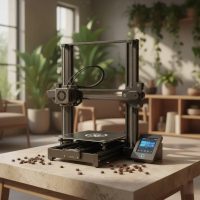
Stepping into the world of 3D printing is like unlocking a new dimension of creativity and innovation. Whether you’re a seasoned maker, a curious hobbyist, or a professional seeking rapid prototyping solutions, finding the best 3D printer can be a game-changer. But with so many options flooding the market in 2025, how do you pick the right one that truly brings your visions to life without a hitch? As someone who’s spent over 15 years immersed in this incredible technology, I’ve seen printers evolve from complex kits to sophisticated, user-friendly machines. Let’s cut through the noise and find the perfect fit for you.

Understanding the Core Technologies: FDM vs. SLA
Before we dive into specific models and features, it’s crucial to grasp the two dominant 3D printing technologies available to consumers and small businesses: Fused Deposition Modeling (FDM) and Stereolithography (SLA). Each has its own strengths and ideal applications. For compare top 3d printing on this site.
Fused Deposition Modeling (FDM): The Workhorse for Everyday Creations
FDM printers, also known as FFF (Fused Filament Fabrication) printers, are the most common and accessible type. They work by extruding a thermoplastic filament, like a melted plastic string, layer by layer onto a build plate. Imagine a hot glue gun meticulously drawing your object.
Why choose FDM?
- Cost-Effective: Generally more affordable, both for the printer itself and the filament materials.
- Ease of Use: Many FDM printers are incredibly user-friendly, with straightforward setup and operation, making them excellent for beginners.
- Material Variety: Compatible with a wide range of filaments such as PLA (Polylactic Acid), ABS (Acrylonitrile Butadiene Styrene), PETG (Polyethylene Terephthalate Glycol-modified), and flexible TPUs.
- Durability for Functional Parts: FDM is ideal for creating functional prototypes, tools, cosplay props, and larger models where mechanical strength is more important than ultra-fine detail.
Considerations:
FDM prints typically have visible layer lines, and while print quality has drastically improved, they generally can’t match the smooth surface finish of resin printers.
Stereolithography (SLA): Precision and Detail for Finer Prints
SLA printers, along with DLP (Digital Light Processing) and MSLA (Masked Stereolithography), use a liquid photopolymer resin that hardens when exposed to specific wavelengths of light. A laser or UV LCD screen cures layers of resin in a vat, building the model from the bottom up or top down.
Why choose SLA?
- Exceptional Detail: SLA printers excel at producing incredibly intricate and highly detailed models with exceptionally smooth surfaces, almost like injection-molded parts.
- Accuracy: Perfect for miniatures, jewelry, dental models, and precise prototypes where fine features are paramount.
- Smoother Finish: The nature of resin printing results in a virtually invisible layer structure, leading to stunning aesthetics.
Considerations:
SLA printers and their resins are generally more expensive. They also require more post-processing, including washing and UV curing of the printed parts, and handling resin can be messier and requires proper ventilation due to fumes.
Key Factors to Consider Before You Buy
Choosing the best 3D printer isn’t a one-size-fits-all decision. It hinges on your specific needs, budget, and what you plan to create. Here are the crucial aspects I always advise clients to consider:
Your Projects & Purpose
|
Our Picks for the Best 3D Printer in 2026
As an Amazon Associate I earn from qualifying purchases.
|
||
| Num | Product | Action |
|---|---|---|
| 1 | Anycubic Multicolor 3D Printer, Kobra S1 Combo Core XY Stable Structure with Sealed Printing High Precision 600mm/s Fast Speed Auto Calibration Ideal for Precision and Efficiency 9.8\"x9.8\"x9.8\" |

|
| 2 | FLASHFORGE AD5M Pro 3D Printer 600mm/s High Speed & Precision, Full-Auto Calibration with 0.4&0.6mm Nozzle Bundle, CoreXY Structure & Auxiliary Chamber Cooling, ≤50 dB Quite Printing Camera Printers |
|
| 3 | Creality Ender 3 V3 SE 3D Printer, 250mm/s Faster Print Speed CR Touch Auto Leveling Sprite Direct Extruder Dual Z-Axis Auto Filament Loading Ender 3 Upgrade 3D Printer Print Size 8.66x8.66x9.84 inch |
|
| 4 | Creality K2 SE Combo 3D Printer, Support Multicolor Printing with CFS, 500mm/s High-Speed, Smart Auto Leveling, Solid Metal Build Frame, Fully Assembled, Next-Gen Extruder, 220×215×245 mm Build Volume |
|
| 5 | FLASHFORGE AD5M 3D Printer Fully Auto Calibration Print with 1-Click Max 600mm/s Speed, All-Metal CoreXY Structure Precise Printing, Easy-Maintenance Quick-Swap Nozzle, Print Size 220x220x220mm |
|
| 6 | FLASHFORGE AD5X Multi-Color 3D Printer 4 Colors with IFS, Fully Auto Leveling FDM 3D Printer with Max 600mm/s High Speed Printing and Max 300°C Nozzle, Large Printing Size 220 * 220 * 220mm |
|
| 7 | FLASHFORGE AD5X Multi-Color 3D Printer with IFS, 600mm/s High Speed, 300°C High Temp Direct Extruder, Fully Auto Leveling, All Metal CoreXY,4-Color Printing for PLA-CF,PETG-CF, 220x220x220mm |
|
| 8 | FLASHFORGE Adventurer 5M Pro 3D Printer with 1 Click Auto Printing System, 600mm/s High-Speed, Quick Detachable 280°C Nozzle, Core XY All-Metal Structure, Multi-Functional 220x220x220mm 3D Printer |
|
| 9 | FLASHFORGE Adventurer 5M 3D Printer with Fully Auto Leveling, Max 600mm/s High Speed Printing, 280°C Direct Extruder with 3S Detachable Nozzle, CoreXY All Metal Structure, Print Size 220x220x220mm |
|
| 10 | FLASHFORGE AD5X Multi-Color 3D Printer, CoreXY 600mm/s High-Speed, 1-Click Auto Leveling, 300°C Direct Drive Extruder, 220x220x220mm Build Volume, Ideal for Precision and Efficiency |
|
What do you intend to make? This is arguably the most important question.
- Beginners & Hobbyists: If you’re just starting or enjoy general tinkering, an easy-to-use FDM printer like the Bambu Lab A1 Mini or Creality Ender 3 V3 SE is a fantastic entry point.
- Miniatures & Detailed Models: For intricate figurines, jewelry, or highly detailed prototypes, an SLA resin printer such as the Elegoo Saturn 4 Ultra 16K or Anycubic Photon Mono M7 Max will deliver superior results.
- Functional Prototypes & Large Builds: FDM printers with larger build volumes are better suited for bigger, more robust parts.
- Educational or Professional Use: Look for reliability, consistency, and potentially advanced features like multi-material capabilities or tool changers.
Budget & Ongoing Costs
Your initial investment for the best 3D printer can range from a few hundred to several thousand dollars.
- Entry-Level FDM: You can find capable FDM printers for under $300, like the Creality Ender 3 V3 SE, which offers great value for beginners.
- Mid-Range FDM: Printers in the $400-$700 range, such as the Bambu Lab P1S, offer improved speed, reliability, and more advanced features.
- Entry-Level SLA: Resin printers often start around $250-$500, with models like the Elegoo Mars 5 being a popular choice for those new to resin.
- Ongoing Costs: Remember to factor in the cost of filament ($20-$50 per kilogram for FDM) or resin ($100-$200 per liter for SLA), as well as maintenance parts like nozzles and FEP film.
Build Volume: How Big Can You Go?
The build volume dictates the maximum size of objects you can print.
- Small (e.g., 180x180x180mm): Ideal for miniatures, small parts, or when desktop space is limited. The Bambu Lab A1 Mini is a good example.
- Medium (e.g., 220x220x250mm to 256x256x256mm): Versatile for most common projects, offering a good balance between size and footprint.
- Large (e.g., 300x300x300mm or more): Necessary for printing sizable functional parts or cosplay props in one piece, such as the Anycubic Kobra 3 Max.
Print Speed & Quality: Finding Your Balance
Modern 3D printers offer impressive speeds, but it often comes down to balancing speed with the desired level of detail.
- Speed: If you’re churning out prototypes or large models, high-speed CoreXY printers like the Elegoo Centauri Carbon (up to 500mm/s) or Bambu Lab models can significantly reduce print times.
- Quality/Resolution: For FDM, lower layer heights (e.g., 0.1mm) result in smoother prints but take longer. For SLA, higher resolution LCD screens (e.g., 12K or 16K) provide incredibly fine details.
Material Compatibility
Consider the materials you plan to use.
- FDM: Most entry-level FDM printers handle PLA well. If you want to print with ABS, PETG, Nylon, or even carbon fiber reinforced filaments, you’ll need an all-metal hotend and likely an enclosed print chamber to manage temperature and prevent warping.
- SLA: Different resins offer various properties, including standard, durable, flexible, and castable resins. Ensure the printer is compatible with the resin types you need.
Ease of Use & Smart Features
Modern printers boast features that make the printing process much smoother.
- Auto-Bed Leveling: A crucial feature, especially for beginners, that automatically calibrates the print bed for optimal first layers.
- Direct Drive Extruders: Positioned directly above the hotend, these are better for printing flexible filaments and offer more precise control.
- Enclosed Chambers: Essential for printing with temperature-sensitive materials like ABS to maintain a stable environment, and beneficial for reducing resin fumes.
- AI Monitoring & Remote Control: Some advanced printers, like the Creality K2 Pro, offer AI-assisted monitoring and remote control via apps, adding convenience.
- Multi-color Printing: Systems like Bambu Lab’s AMS (Automatic Material System) allow for printing with multiple colors or materials in a single print.
Community & Support
A strong online community and responsive customer support are invaluable, especially for beginners. Forums, Facebook groups, and manufacturer support can provide quick solutions to common issues and share innovative ideas.
Top 3D Printer Recommendations for 2025
Based on extensive testing and industry trends, here are some of the best 3D printer options hitting the mark this year:
Best Overall / All-Rounder (FDM): Bambu Lab P2S
The Bambu Lab P2S is a fantastic choice for those seeking a high-performance FDM printer. It offers a great balance of speed, print quality, and an accessible user experience, making it a strong contender for various applications. Its sturdy build and advanced features make it a reliable workhorse.
Best for Beginners (FDM): Bambu Lab A1 Mini & Creality Ender 3 V3 SE
- Bambu Lab A1 Mini: This compact powerhouse is often recommended for its high speed, multi-color capabilities (with AMS Lite), and full-auto calibration. It’s incredibly user-friendly and quiet, making it ideal for newcomers.
- Creality Ender 3 V3 SE: For a truly budget-friendly start, the Ender 3 V3 SE is a stellar option. It offers auto-bed leveling, a direct drive extruder, and decent speeds, all wrapped in a beginner-friendly package.
Best Budget-Friendly (FDM): Elegoo Centauri Carbon
The Elegoo Centauri Carbon stands out as a fast, enclosed CoreXY printer at a surprisingly low price. Its speed and build size are comparable to higher-end models, making it an excellent value for those on a tighter budget who still want performance.
Best for High-Detail Resin Prints: Elegoo Saturn 4 Ultra 16K
For breathtaking detail and smooth finishes, the Elegoo Saturn 4 Ultra 16K is a top pick. It boasts an impressive 16K resolution LCD screen and includes features like a heated resin vat, which is crucial for consistent print success.
Best for Advanced Users / Multicolor (FDM): Prusa Core One & Bambu Lab P1S Combo
- Prusa Core One: This premium FDM printer offers the full Prusa experience with an integrated enclosure, high reliability, and excellent print quality, suitable for professionals and serious hobbyists.
- Bambu Lab P1S Combo: The P1S combined with the AMS system provides an accessible entry into high-speed, multi-color 3D printing, enabling complex and visually striking models.
“The landscape of 3D printing is constantly evolving, but the core principles of quality, reliability, and ease of use remain paramount. Always align your choice with your project goals – that’s the real secret to finding your perfect machine.” — Dr. Anya Sharma, WMTSV Lead Engineer and Materials Scientist
Checklist: Before You Click “Buy”
Here’s a quick rundown of questions to ask yourself:
- What will I primarily print? (Functional parts, miniatures, prototypes, toys?)
- What’s my maximum budget? (Including ongoing material costs)
- How much space do I have? (Consider build volume vs. footprint)
- How important is print speed vs. detail?
- Do I need an enclosure for specific materials or fumes?
- Am I comfortable with post-processing (for resin printers)?
- Is there a good community and support system for the model I’m considering?
Frequently Asked Questions (FAQ)
What is the easiest 3D printer to use for a beginner?
For beginners, FDM printers like the Bambu Lab A1 Mini or Creality Ender 3 V3 SE are often the easiest to set up and operate, featuring intuitive interfaces and automated functions like bed leveling.
Is it worth buying a cheap 3D printer?
Yes, it can be! Many affordable 3D printers, especially in the FDM category, offer excellent value and are perfect for learning the ropes without a significant investment. However, be aware that cheaper models might require more manual calibration or have fewer advanced features.
What’s the difference between FDM and Resin 3D printers?
FDM printers use heated plastic filament to build objects layer by layer, suitable for functional parts and prototypes with visible layer lines. Resin (SLA) printers use liquid photopolymer resin cured by light, offering much higher detail and smoother surfaces, ideal for intricate models and miniatures.
How much does 3D printing filament/resin cost?
FDM filament typically costs between $20 and $50 per kilogram, depending on the material and brand. SLA resin is generally more expensive, ranging from $100 to $200 per liter, plus the cost of post-processing supplies.
Can 3D printers print multiple colors?
Yes, some advanced FDM printers feature multi-color printing capabilities, often achieved through an Automatic Material System (AMS) that feeds different colored filaments to the print head.
Do I need an enclosure for my 3D printer?
An enclosure is highly recommended for printing with materials like ABS that are prone to warping due to temperature fluctuations, as it maintains a stable print environment. For resin printers, an enclosure is also beneficial for containing fumes and odors, improving safety and comfort.
Conclusion
The journey into 3D printing is an exciting one, full of endless possibilities. By understanding the different technologies, considering your specific needs, and evaluating the key features, you can confidently choose the best 3D printer to kickstart your creative endeavors. Whether you’re making practical tools, stunning art pieces, or pushing the boundaries of innovation, the right 3D printer from WMTSV’s recommendations will be your trusted companion in bringing your digital dreams into the physical world. So, take the leap, explore the possibilities, and happy printing!
Get our weekly buyer guide
Practical specs, not advice. Unsubscribe anytime.