The best resin 3D printer for most users is the Elegoo Saturn 4 Ultra, offering excellent 12K resolution, fast printing capabilities, and user-friendly features like auto-leveling and an innovative tilting vat. Resin 3D printers cure liquid resin layer by layer using UV light, delivering prints with unparalleled detail and smooth finishes, making them ideal for intricate models, miniatures, and jewelry.
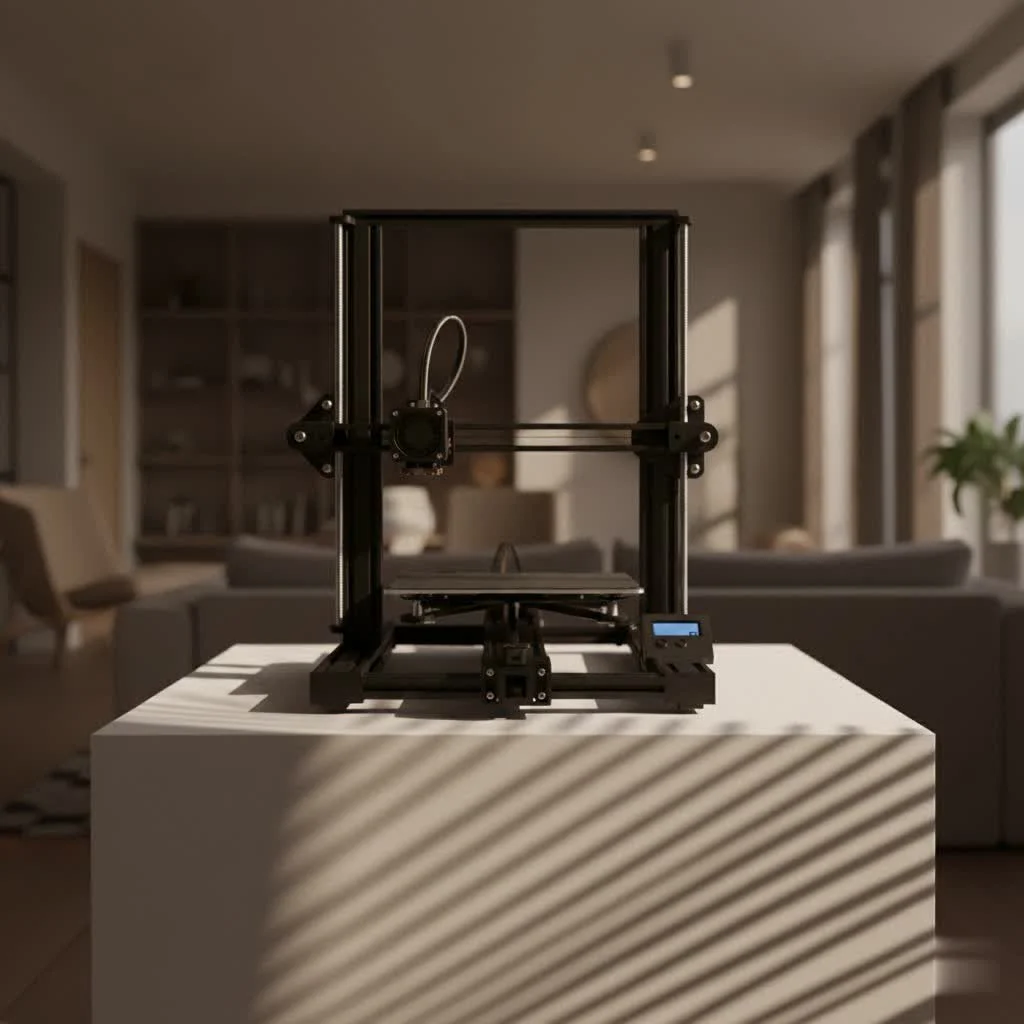
What Exactly is a Resin 3D Printer and How Does it Work?
A resin 3D printer, often using MSLA (Masked Stereolithography) technology, operates by selectively hardening liquid photosensitive resin with a UV light source. An LCD screen acts as a mask, projecting UV light patterns onto the resin vat. Where the light hits, the resin cures into a solid layer. The build plate then slightly lifts, allowing the next layer to be exposed and cured, stacking these ultra-fine layers to build your model with incredible precision. This process allows for resolutions as fine as 18 microns on the XY axes, far surpassing what FDM printers can typically achieve. For explore our 3d printing reviews on this site.
Why Choose a Resin 3D Printer? The Pros and Cons
Before committing to a resin printer, it’s essential to weigh its unique advantages and disadvantages.
The Upsides (Pros):
- Exceptional Detail and Smoothness: This is the primary reason artists, jewelers, and miniature enthusiasts flock to resin printing. The layer lines are often invisible to the naked eye, producing stunningly smooth and highly detailed models.
- Intricate Geometries: Resin printers excel at reproducing complex designs with delicate features that would be challenging or impossible for FDM printers.
- Speed for Batch Production: While a single large object might print faster on an FDM machine, resin printers cure an entire layer at once. This means printing ten small miniatures takes roughly the same time as printing just one, making them incredibly efficient for batch production of small items.
- Variety of Specialty Resins: Beyond standard resins, there are options for flexible, castable, clear, and even dental-grade resins, expanding the possibilities for specialized applications.
The Downsides (Cons):
- Post-Processing: Resin prints require post-processing, including washing in a solvent (like isopropyl alcohol) to remove uncured resin and then curing under UV light to fully harden the model. This adds steps to your workflow.
- Safety Considerations: Liquid resin is toxic and can cause skin irritation or respiratory issues. Proper personal protective equipment (gloves, mask) and good ventilation are crucial for safe operation.
- Brittleness: Many standard resins produce brittle parts that can shatter if dropped, limiting their use for functional, high-stress components.
- Mess Factor: Working with liquid resin and cleaning solutions can be messy, requiring careful handling and a dedicated workspace.
- Smaller Build Volume: Compared to FDM printers, most consumer-grade resin printers have a smaller build area, though larger format options are becoming more common.
“Resin 3D printing truly shines when absolute precision and exquisite surface finish are your top priorities. It’s a major upgrade for detailed work, but understanding the post-processing and safety requirements is key to a rewarding experience,” notes Dr. Anya Sharma, a seasoned expert in additive manufacturing.
How to Pick the Best Resin 3D Printer for You
|
Our Picks for the Best 3D Printer in 2026
As an Amazon Associate I earn from qualifying purchases.
|
||
| Num | Product | Action |
|---|---|---|
| 1 | FLASHFORGE AD5X Multi-Color 3D Printer 4 Colors with IFS, Fully Auto Leveling FDM 3D Printer with Max 600mm/s High Speed Printing and Max 300°C Nozzle, Large Printing Size 220 * 220 * 220mm |

|
| 2 | Anycubic Multicolor 3D Printer, Kobra S1 Combo Core XY Stable Structure with Sealed Printing High Precision 600mm/s Fast Speed Auto Calibration Ideal for Precision and Efficiency 9.8\"x9.8\"x9.8\" |
|
| 3 | FLASHFORGE Adventurer 5M 3D Printer with Fully Auto Leveling, Max 600mm/s High Speed Printing, 280°C Direct Extruder with 3S Detachable Nozzle, CoreXY All Metal Structure, Print Size 220x220x220mm |
|
| 4 | FLASHFORGE AD5X Multi-Color 3D Printer with IFS, 600mm/s High Speed, 300°C High Temp Direct Extruder, Fully Auto Leveling, All Metal CoreXY,4-Color Printing for PLA-CF,PETG-CF, 220x220x220mm |
|
| 5 | FLASHFORGE Adventurer 5M Pro 3D Printer with 1 Click Auto Printing System, 600mm/s High-Speed, Quick Detachable 280°C Nozzle, Core XY All-Metal Structure, Multi-Functional 220x220x220mm 3D Printer |
|
| 6 | Creality K2 SE Combo 3D Printer, Support Multicolor Printing with CFS, 500mm/s High-Speed, Smart Auto Leveling, Solid Metal Build Frame, Fully Assembled, Next-Gen Extruder, 220×215×245 mm Build Volume |
|
| 7 | FLASHFORGE AD5M Pro 3D Printer 600mm/s High Speed & Precision, Full-Auto Calibration with 0.4&0.6mm Nozzle Bundle, CoreXY Structure & Auxiliary Chamber Cooling, ≤50 dB Quite Printing Camera Printers |
|
| 8 | FLASHFORGE AD5X Multi-Color 3D Printer, CoreXY 600mm/s High-Speed, 1-Click Auto Leveling, 300°C Direct Drive Extruder, 220x220x220mm Build Volume, Ideal for Precision and Efficiency |
|
| 9 | Creality Ender 3 V3 SE 3D Printer, 250mm/s Faster Print Speed CR Touch Auto Leveling Sprite Direct Extruder Dual Z-Axis Auto Filament Loading Ender 3 Upgrade 3D Printer Print Size 8.66x8.66x9.84 inch |
|
| 10 | FLASHFORGE AD5M 3D Printer Fully Auto Calibration Print with 1-Click Max 600mm/s Speed, All-Metal CoreXY Structure Precise Printing, Easy-Maintenance Quick-Swap Nozzle, Print Size 220x220x220mm |
|
Choosing the right resin printer involves considering several factors beyond just print quality.
What to Look for in a Modern Resin 3D Printer
- Resolution (2K, 4K, 8K, 12K, 16K): Higher resolution LCD screens offer finer details. While 4K is excellent, 8K, 12K, and even 16K screens push the boundaries for ultra-crisp results, especially critical for miniatures and intricate models. However, that the physical size of the LCD combined with the pixel count truly dictates resolution; a smaller 4K screen might offer finer detail than a larger 8K screen.
- Build Volume: Consider the size of the objects you plan to print. If you’re primarily doing small miniatures or jewelry, a compact printer like the Elegoo Mars series might suffice. For larger models or batch production, look at mid-size or large-format options such as the Elegoo Saturn or Anycubic Photon M7 Max.
- Print Speed: While not as fast as some FDM printers for single large objects, advancements like ACF (Advanced Composite Film) vats and tilt-release mechanisms can significantly boost print speeds by reducing peel force between layers.
- Ease of Use & Smart Features: Modern resin printers are integrating features like auto-leveling, resin level detection, print failure detection, heated resin vats for optimal resin temperature, and built-in cameras for remote monitoring. These features drastically improve the user experience, especially for beginners.
- Connectivity: USB is standard, but Wi-Fi connectivity allows for remote print management and monitoring, adding convenience.
- Post-Processing Ecosystem: Many manufacturers offer integrated wash and cure stations. While optional, these significantly streamline the post-processing workflow, making cleanup safer and less messy.
- Software Compatibility: Ensure the printer works with popular, user-friendly slicing software like Chitubox or Lychee Slicer, which offer more flexibility and features than some proprietary options.
Categories of Best Resin 3D Printers for Different Users
Based on extensive testing and user feedback, here are some top recommendations for the best resin 3D printer across various categories:
-
Best Overall: Elegoo Saturn 4 Ultra
The Elegoo Saturn 4 Ultra stands out with its excellent 12K resolution, fast printing capabilities, and user-friendly features like auto-leveling and an innovative tilting vat for easier print removal. It offers remarkable quality and ease of use, making it a strong contender for most users. -
Best for High-Resolution & Miniatures: Elegoo Mars 5 Ultra
For those demanding the crispest details, the Elegoo Mars 5 Ultra delivers an impressive 18 x 18 micron XY resolution, perfect for miniatures, jewelry, and highly intricate models. Its smart features, including auto-leveling and a built-in camera, make it user-friendly. -
Best Budget Pick (Under $200): Elegoo Mars 5
The Elegoo Mars 5 offers incredible value for its price, providing a solid entry point into resin printing with features like resin level and print failure detection, Wi-Fi connectivity, and self-leveling. It’s a compact and smart choice for beginners. -
Best Under $500: Elegoo Saturn 4 Ultra 16K
This printer pushes the boundaries with 16K resolution and advanced features like a heated resin vat and an improved “AI” print monitoring camera. It offers modern performance at a competitive price point. -
Best Large Format: Anycubic Photon Mono M7 Max
If you need a generous build volume, the Anycubic Photon Mono M7 Max offers a sweeping 298 x 164 x 300 mm print area. It combines large-scale printing with smart features like self-diagnostics and a heated vat, making large prints more successful. -
Best for Beginners: Anycubic Photon Mono 2
Designed with first-time users in mind, the Anycubic Photon Mono 2 offers quality 4K prints in a compact footprint. Its fast setup, effortless print removal, and easy-to-navigate menus make it an ideal starting point for new resin enthusiasts. -
Best for Business/Professional Use: Formlabs Form 4
For professionals where reliability and precision are paramount, the Formlabs Form 4 is an investment. While pricey, it delivers consistently high-quality prints, features auto-leveling, a built-in camera, and inventory tracking software, making it a powerhouse for production and prototyping.
Essential Shopping Tips for Resin 3D Printers
When you’re ready to make a purchase, keep these practical tips in mind:
- Mono vs. RGB LCD: Opt for a monochrome LCD if possible. They are significantly faster because they allow UV light to pass through more efficiently, reducing exposure times per layer and speeding up your prints.
- Post-Processing Equipment: Factor in the cost and space for a wash and cure station. While you can do it manually, an automated system greatly enhances convenience and safety.
- Ventilation is Non-Negotiable: Always operate your resin printer in a well-ventilated area. If you’re in a small space, consider an air purifier or setting up a dedicated enclosure with an exhaust fan to a window. The fumes, even if not strongly scented, contain VOCs (Volatile Organic Compounds) that are best avoided.
- Resin Compatibility: While many printers work with various third-party resins, some professional machines (like Formlabs) require proprietary materials. Be aware of any limitations.
- Community Support: A strong online community can be a lifesaver for troubleshooting and sharing tips. Brands like Elegoo and Anycubic have active user bases that are incredibly helpful.
Conclusion
Choosing the best resin 3D printer means finding the perfect balance between your desired print quality, budget, and specific application. Whether you’re an artist meticulously crafting miniatures, a hobbyist exploring intricate designs, or a professional needing reliable prototypes, there’s a resin printer out there to meet your needs. Embrace the world of high-detail printing, and you’ll be amazed at the stunning creations you can bring to life with the right machine. Don’t be afraid to experiment, learn, and enjoy the incredibly rewarding journey of resin 3D printing!
Frequently Asked Questions
What is the primary advantage of a resin 3D printer over an FDM printer?
The primary advantage of a resin 3D printer is its ability to produce models with exceptional detail and incredibly smooth surface finishes. Resin printers can achieve resolutions as fine as 18 microns on the XY axes, making layer lines virtually invisible, which is ideal for intricate designs like jewelry or miniatures.
What are the essential post-processing steps for resin 3D prints?
Essential post-processing for resin 3D prints involves two main steps: washing and curing. First, prints must be washed in a solvent, such as isopropyl alcohol, to remove any uncured liquid resin. Second, the cleaned prints need to be exposed to UV light to fully harden and strengthen the model.
Is it safe to operate a resin 3D printer indoors without ventilation?
No, it is not safe to operate a resin 3D printer indoors without proper ventilation. Liquid resin is toxic and can cause skin irritation or respiratory issues due to VOCs (Volatile Organic Compounds) released during printing. Always use personal protective equipment like gloves and a mask, and ensure the printer is in a well-ventilated area, ideally with an air purifier or an exhaust fan.
Which resin 3D printer is recommended for beginners on a budget?
For beginners on a budget, the Elegoo Mars 5 is highly recommended, priced under $200. It offers a solid entry point into resin printing with user-friendly features like resin level and print failure detection, Wi-Fi connectivity, and self-leveling, making it a smart and compact choice.
What resolution should I look for in a resin 3D printer for miniatures?
For miniatures and highly intricate models, you should look for a resin 3D printer with at least 8K resolution, though 12K or 16K screens offer even finer details. The Elegoo Mars 5 Ultra, for example, provides an impressive 18 x 18 micron XY resolution, which is excellent for crisp, tiny features.
How to Pick the Best Resin 3D Printer
Choosing the right resin 3D printer involves evaluating several key factors to match your specific needs and budget.
Determine the level of detail you need (e.g., 4K for general use, 8K-16K for miniatures) and the size of objects you plan to print. A smaller 4K screen can offer finer detail than a larger 8K screen due to pixel density.
Look for advancements like ACF vats or tilt-release mechanisms for faster printing. Prioritize features such as auto-leveling, resin level detection, and print failure detection for an improved user experience, especially if you are a beginner.
Factor in the cost and space for a wash and cure station to streamline cleanup. Always ensure you have a well-ventilated area for operation, as liquid resin fumes contain VOCs that require careful handling and proper safety measures.
Ensure the printer works with popular slicing software like Chitubox or Lychee Slicer for flexibility. A strong online community, common with brands like Elegoo and Anycubic, can provide invaluable support for troubleshooting and tips.
Get our weekly buyer guide
Practical specs, not advice. Unsubscribe anytime.
I finally pulled the trigger on the Elegoo Saturn 4 Ultra after reading about its 12K resolution, and I’m blown away. The detail on my miniature figures is just incredible, far better than anything I got from my old FDM printer. The auto-leveling feature is a game-changer too, making setup so much easier.
The smooth finishes you can get with resin are definitely a plus, especially for display pieces. However, I found the tilting vat on the Saturn 4 Ultra a bit finicky to clean compared to my previous printer. It’s a minor complaint, but it does add a bit of extra time to my post-processing routine.
I’ve been using resin printers for a while, mostly for jewelry prototypes, and the speed mentioned for some of these newer models is really appealing. My current setup takes forever on larger batches. I’m considering an upgrade soon, especially if it can cut down on my production time without sacrificing too much detail.
I was hesitant to try resin printing because of the mess, but the explanation of how MSLA technology works really demystified it for me. I’m now getting prints with unparalleled detail for my intricate models, which was exactly what I was hoping for. It’s a learning curve, but totally worth it for the quality.